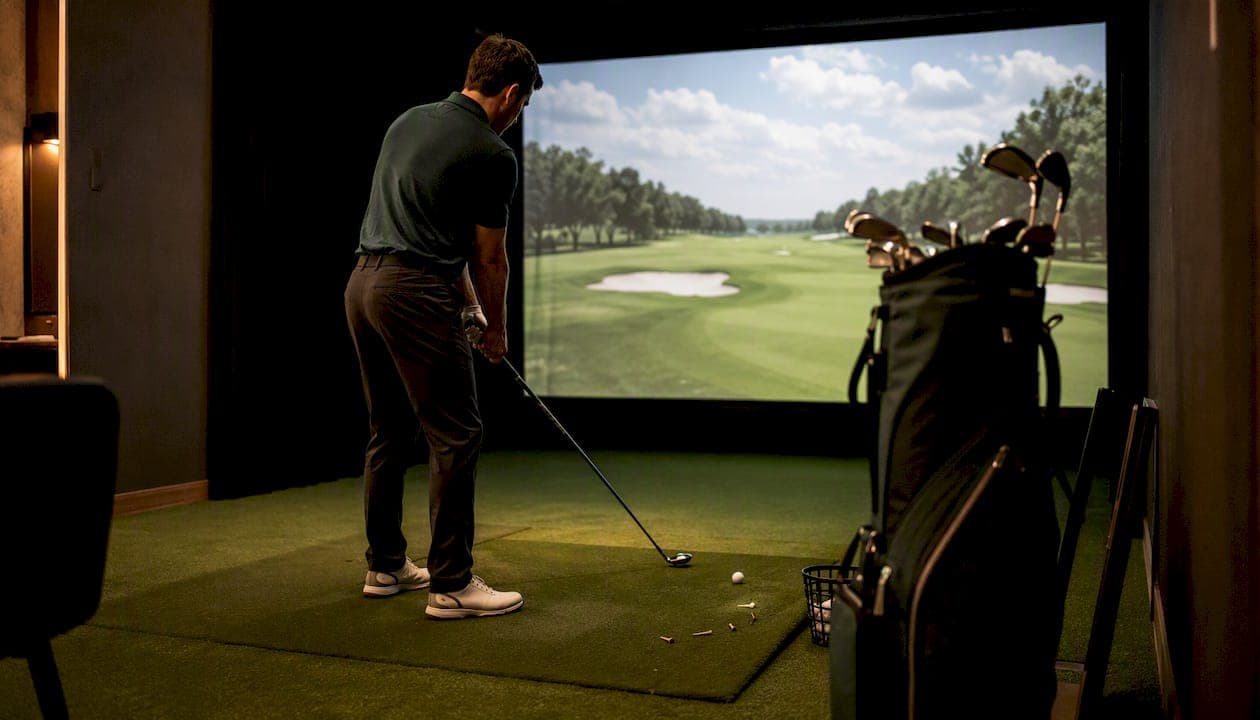
Capture ball speed, launch angle, spin rate, carry distance, dispersion, the club and settings used, and the one decision you made — then write one sentence about what clicked mentally. That combination is a breakthrough record. Done right, it becomes a repeatable indoor standard you can stress-test on the course.
Every breakthrough record needs at minimum:
- Shot metrics: ball speed, launch angle, spin rate, carry/total distance, dispersion
- Equipment and settings: club, ball model, simulator calibration, mat/turf, tee height
- Mental note: one sentence capturing the internal "aha" that accompanied the change
- Decision log: what you decided to keep, and why
- Test plan: the specific on-course shots you'll use to validate transfer
Table of Contents
- Why documenting indoor breakthroughs actually changes your on-course game
- Which metrics and context fields belong in every breakthrough record?
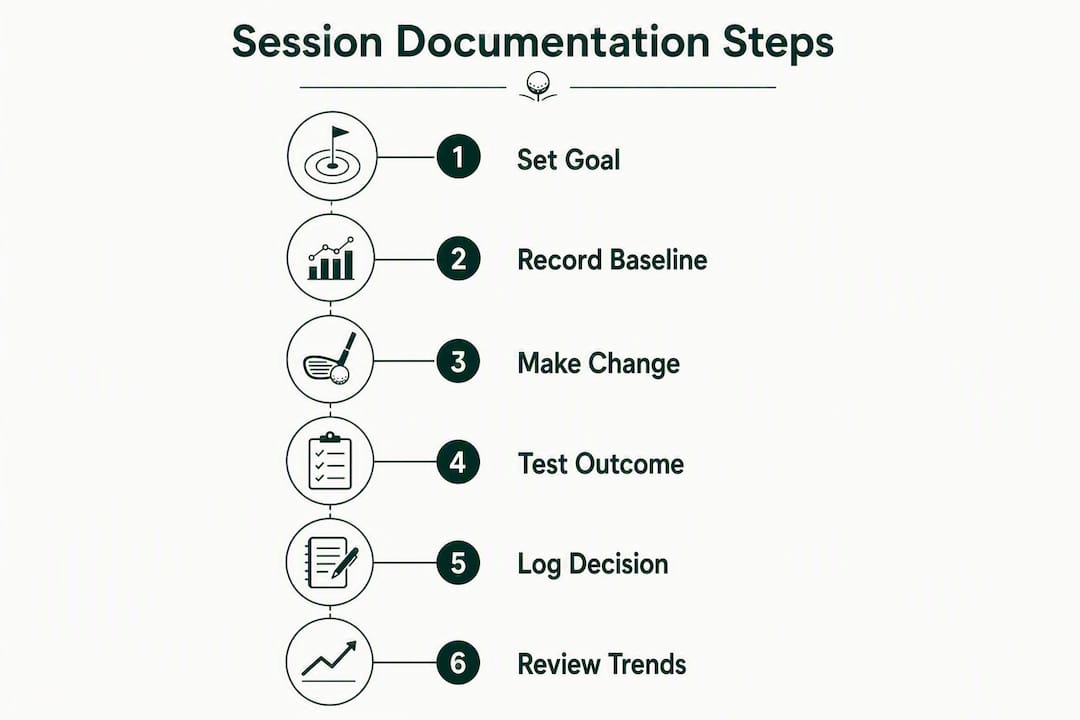
- A step-by-step session template you can run in any bay
- How to store and organize your session data for fast retrieval
- How to validate that your indoor breakthrough transfers to the course
- How to make breakthroughs stick: review cadence and trend tracking
- A filled sample breakthrough session record you can copy
- Key Takeaways
- Why one documented decision per breakthrough is the rule that actually works
- Sim2coursecaddie puts your breakthrough records to work
- Further reading and ready-made templates
Why documenting indoor breakthroughs actually changes your on-course game
Documentation converts a single good swing into a verifiable change. Without it, you're relying on muscle memory alone — which degrades under pressure, fatigue, and unfamiliar conditions.
The controlled environment of an indoor bay is exactly what makes baselining so powerful. No wind, no uneven lies, no sun glare. Every variable you strip away is a variable that can't contaminate your data. That clarity lets you isolate what actually changed in your swing.
"Coached simulator sessions that pair technology with expert oversight drive faster, measurable gains than entertainment-style use." — Zen Golf Studio
Accountability follows naturally from documentation. When your decision log has an entry with your name, a date, and a specific metric target, both you and your coach have something concrete to revisit. Documenting sessions drives accountability in ways that verbal recaps simply can't match.
Which metrics and context fields belong in every breakthrough record?
The non-negotiable shot metrics are: ball speed, launch angle, spin rate, carry distance, total distance, dispersion (lateral offset), clubhead speed, and smash factor. Each one earns its place because it predicts something specific about on-course behavior.

Spin rate determines how carry and roll interact on different firmness conditions. Dispersion tells you how much on-course variability to expect from a given swing pattern. Smash factor flags whether contact quality is consistent or masking a technique problem.
| Field | Definition | Transfer impact |
|---|---|---|
| Ball speed | Speed of ball at impact (mph) | Directly predicts carry distance |
| Launch angle | Vertical angle off the face (°) | Affects carry/roll ratio |
| Spin rate | Backspin at launch (rpm) | Controls trajectory and stopping distance |
| Carry distance | Air distance to first bounce (yds) | Primary distance benchmark |
| Dispersion X/Y | Lateral and depth offset from target (yds) | Predicts on-course miss pattern |
| Smash factor | Ball speed ÷ clubhead speed | Flags contact consistency |
| Clubhead speed | Speed of club at impact (mph) | Power ceiling indicator |
Context fields matter just as much. Record the club, ball model, loft and lie settings, simulator calibration date, bay wind setting (if adjustable), mat or turf type, and tee height. If your studio has 3D motion capture or force plates, link weight-shift timing and pelvis rotation data to the ball-flight numbers so you can target drills by cause, not just symptom.
Session metadata: write the session goal before you hit a single ball, record a baseline of at least 10 shots with the same club, timestamp every shot ID, and note coach or observer initials.
Pro Tip: Define the session goal in one sentence before you start. High-fidelity simulator data creates "data-rich, insight-poor" sessions unless you know exactly which metric you're trying to move.
A step-by-step session template you can run in any bay
The loop is: pre-setup → baseline → focused test → capture → close. Most golfers stop after "implement" and lose everything valuable in the last two phases.
- Define the task. Write one sentence: "Today I'm testing whether a stronger grip reduces my spin rate below 2,800 rpm with a 7-iron." One variable, one metric target.
- Gather the baseline. Hit multiple shots with your current technique. Export or screenshot the average and standard deviation for each metric. This is your before-state.
- Plan the test. List the specific change you'll make and the drill sequence (e.g., three sets of five swings with the grip change, rest between sets).
- Implement. Run the drill. Don't adjust anything else mid-session. Resist the urge to fix two things at once.
- Capture immediately. Export the post-change shot data. Write the mental "aha" in one sentence right now, not at the end of the session. Waiting until session end loses the nuance that makes the note useful.
- Close with a decision log entry. Fill in the table below before you leave the bay.
| Decision | Rationale | Test result | Keep/Discard | Owner | Follow-up drill |
|---|---|---|---|---|---|
| Stronger grip | Reduce spin rate | Spin dropped noticeably on average | Keep | Player | 3×10 reps, next session |
Mandatory fields before you close: session goal, baseline averages, post-change averages, coach initials, and one-sentence mental note. The six-phase guided session loop enforces capture and close so findings persist and stay searchable.
How to store and organize your session data for fast retrieval
Use Sim2coursecaddie as your primary import and visualization hub. Export raw shot rows from your simulator as CSV for backup, and import them directly into the app for 3D replay and trend analysis.
Sample CSV schema:
| Column | Example value |
|---|---|
| timestamp | 2026-03-15 |
| shot_id | S |
| club | 7-iron |
| ball_model | Pro V1 |
| spin_rate | below 7,000 rpm |
| dispersion_x | +4 yds |
| dispersion_y | −2 yds |
| bay_settings | no wind, mat, tee |
| comment | stronger grip test, rep 3 |
For real-time mental capture, use a voice memo app immediately after a key swing, then transcribe it into the comment field. Link any slow-motion video clips by timestamp so a coach can jump directly to the relevant rep. Session replay synchronized with telemetry makes coach review far faster than video alone.
File naming convention: YYYY-MM-DD_Club_Goal_v1.csv (e.g., 2026-03-15_7iron_SpinReduction_v1.csv). Store sessions in folders by month, with a subfolder for each club or skill focus. Organizing your session history this way means you can pull any baseline in under a minute. Enable automated cloud sync so you can revert to the pre-change baseline if a later session suggests the change didn't hold.
How to validate that your indoor breakthrough transfers to the course
Three stages: recreate, stress-test, evaluate. Run them in order over two to three rounds.
- Recreate. On a flat lie with no wind, hit five shots with the changed technique at the same club. Target: carry within ±8 yards of your indoor baseline average.
- Stress-test. Hit the same shot from an uphill lie, a sidehill lie, and under a time constraint (playing partners waiting). Target: dispersion stays within ±12 yards lateral of your indoor band.
- Evaluate. After 15 on-course reps across two rounds, compare your on-course carry average and miss pattern to the indoor record.
Pass: carry variance within ±8 yards, dispersion within ±12 yards lateral. Fail: return to the simulator, check whether the baseline metric actually held, and update the decision log with what changed.
Comparing simulator sessions to on-course results is the only way to confirm transfer rather than assume it. Practice data becomes course strategy only when you close the loop with a structured field test.
How to make breakthroughs stick: review cadence and trend tracking
Weekly: check rolling 30-shot dispersion and carry average against your baseline. Five minutes, one chart. Monthly: compare week-over-week carry distribution and spin variance across clubs. Quarterly: re-establish your baseline with a fresh 15-shot sample to account for seasonal changes in your swing.
| Trend alarm | What it signals | Follow-up action |
|---|---|---|
| Launch angle drift >2° | Setup or ball position shift | Re-baseline, check address video |
| Spin variance increase | Contact inconsistency | Return to impact drill |
| Persistent dispersion shift | Path or face angle change | Decision log review, coach check-in |
Tracking session trends turns isolated breakthroughs into long-term skill changes. Share your monthly trend report with your coach before each lesson so the session starts with data, not description. A peer accountability partner reviewing your weekly session comparisons adds a second set of eyes on drift you might rationalize away.
A filled sample breakthrough session record you can copy
Breakthrough: Player reduced 7-iron spin rate by 310 rpm with a grip adjustment, confirmed carry increase of 4 yards, validated on-course in two rounds.
| Field | Before | After |
|---|---|---|
| Spin rate | below 7,000 rpm | below 7,000 rpm |
| Dispersion (10-shot avg) | ±8 yds | ±12 yds |
Decision log entry: Stronger grip pressure (right hand, index finger) → spin dropped 310 rpm average across 12 post-change shots → Keep. Follow-up drill: 3×10 reps next session, confirm spin stays below 7,000 rpm.
On-course validation: 15 reps over two rounds, carry averaged close to the indoor baseline, dispersion stayed within acceptable lateral range. Change confirmed.
Attachments:
- Video:
2026-03-15_7iron_grip_slowmo.mp4, timestamps 0:14, 1:02, 2:37 - CSV:
2026-03-15_7iron_SpinReduction_v1.csv - Coach notes: "Contact improved, monitor at fatigue point"
Key Takeaways
A documented indoor breakthrough is only durable when it includes a baseline, a single decision, and a structured on-course validation test.
| Point | Details |
|---|---|
| Baseline before you change anything | Hit multiple shots with your current technique before testing any change. |
| Capture the mental note immediately | Write one sentence about what clicked right after the swing, not at session end. |
| One decision per session | Isolate one variable per breakthrough to keep on-course validation clean and interpretable. |
| Run a 3-stage field test | Recreate, stress-test, and evaluate on-course with carry variance within ±8 yards and dispersion within ±12 yards. |
| Sim2coursecaddie as your analytics hub | Import CSV shot data, replay in 3D, and track trends across sessions to confirm transfer. |
Why one documented decision per breakthrough is the rule that actually works
The conventional advice is to fix everything at once during a hot session. It feels efficient. It almost never is. When you change grip, stance, and ball position in the same session and then hit it well on the course two days later, you have no idea which change did the work. And when it falls apart in round three, you have no idea what to go back to.
One decision per breakthrough eliminates that problem entirely. It makes the on-course validation test clean: one variable changed, one metric to track, one pass/fail threshold. If the change holds, you log it and move to the next. If it fails, you know exactly what to revisit.
Compound changes are real and sometimes necessary. The way to handle them is to split them into sequential sessions, each with its own baseline and decision log entry. The extra session is not wasted time. It's the difference between a record you can act on and a record that's just noise.
Sim2coursecaddie puts your breakthrough records to work
Most golfers leave the simulator with a feeling. Sim2coursecaddie gives you a file. Import your CSV shot data directly into the app, replay every swing in the 3D driving range with synchronized ball-flight telemetry, and watch your dispersion and carry trends update in real time across sessions.

The free analytics tier handles CSV import, 3D visualization, and multi-session trend tracking — everything you need to build and compare breakthrough records. Upgrade to Pro for live GPS caddie features that carry your indoor baselines onto the course: real-time conditions, AI club recommendations calibrated to your actual distances, and on-course shot logging that closes the validation loop automatically.
Start building your first documented breakthrough record today at Sim2coursecaddie Free Analytics — no hardware required, no subscription needed to get started.
Further reading and ready-made templates
Use these resources alongside your session records:
- Downloadable session template:
Sim2Course_BreakthroughSession_Template_v1.csv— available in the Sim2coursecaddie blog resource library. Import directly into the app using File → Import Session CSV. - Golf data analysis best practices — metric selection and interpretation for serious golfers
- Multi-session shot tracking benefits — how stacking sessions exposes real improvement vs. noise
- How AI identifies improvement opportunities — using AI-driven trend detection to surface what your data is telling you
To share a record with your coach, export the session PDF from Sim2coursecaddie, attach the CSV and any video clips, and send before your next lesson. Your coach arrives with data. You arrive with questions. That's a productive hour.