
Organizing your home simulator session history is the difference between random hitting and real improvement. Golfers who track session data systematically see distance control improve up to 23% faster than those who practice without structured feedback. That number reflects a simple truth: a simulator without organized records is just an expensive entertainment device. Sim2coursecaddie treats session management as the foundation of data-driven practice, not an afterthought.
How to organize home simulator session history the right way
Session history organization, also called simulator session logging, means recording, labeling, and structuring your practice data so you can spot trends over time. Most golfers skip this step entirely. They hit balls, enjoy the numbers on screen, and walk away with no record of what happened. The result is that each session starts from zero, with no reference point for whether things are getting better or worse.
Effective practice environments provide shared reference points that let progress compound session to session rather than reset each time. That compounding only happens when you have a record to reference. A structured log gives you that reference point every time you step into your simulator bay.

The industry standard for a productive session is 45–60 minutes, divided into warm-up, focused skill work, and cool-down. Keeping your logs tied to this structure makes comparison across sessions far easier. When every session follows the same format, the data lines up cleanly for weekly and monthly review.
What tools and data should you record after each session?
The right data captures what actually happened, not just what felt good. After each session, record these core elements:
- Skill worked on: Name the specific shot type or swing fault you addressed (e.g., "club path on 7-iron," "distance control with wedges").
- Key shot metrics: Ball speed, carry distance, club path, face angle, and smash factor are the most useful starting points.
- Subjective session rating: Score the session 1–5 based on focus, feel, and consistency. This adds context that raw numbers miss.
- Session duration: Log actual practice time, not total time in the room.
- Equipment used: Note which clubs you worked with and any setup changes.
For tools, your options fall into three categories. Basic spreadsheets (Google Sheets or Microsoft Excel) work well for golfers who want full control over their layout. Dedicated golf analytics apps like Sim2coursecaddie go further by importing shot data directly from your launch monitor and visualizing it in a 3D driving range environment. Generic fitness tracking apps are a distant third option. They lack the golf-specific fields that make session comparison meaningful.
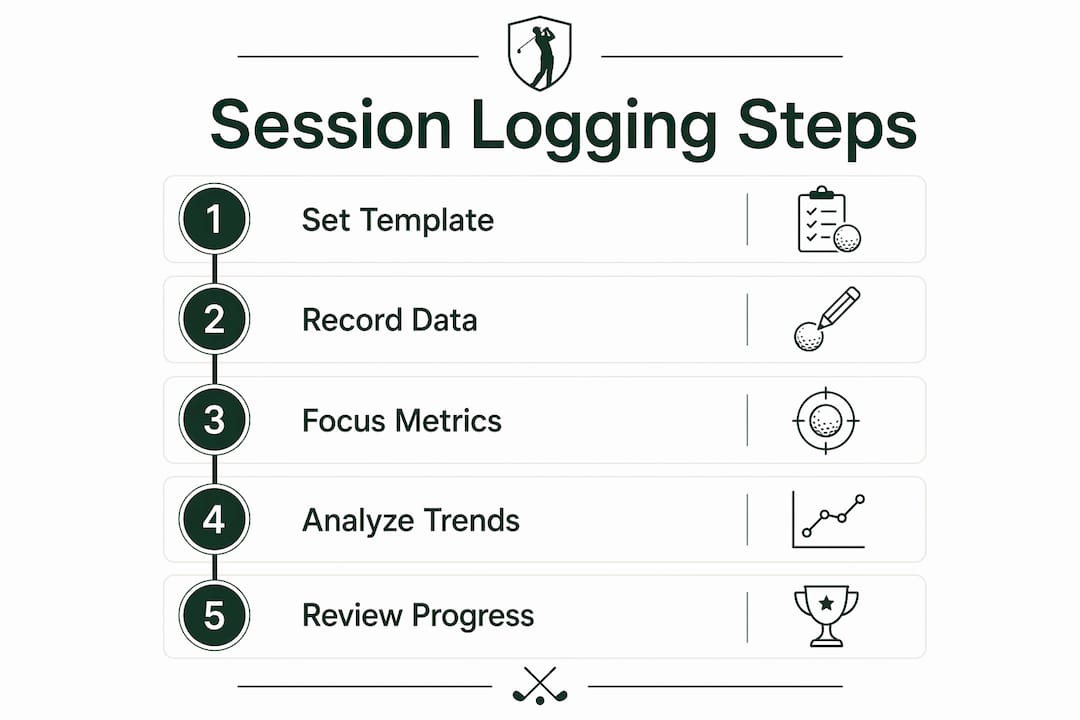
Pro Tip: Set up a session template before your first practice. Fill it in immediately after finishing, while the session is fresh. Waiting until the next day costs you the subjective details that give raw numbers their context.
The most common recording mistake is logging only the metrics your launch monitor displays by default. Many golfers ignore club path and face angle because those numbers feel abstract. Those two metrics, however, are the fastest route to diagnosing a persistent ball flight problem.
How do you structure session data for meaningful analysis?
Raw data without structure is just noise. The goal is to organize your records so that a 30-second glance tells you whether a specific skill is trending up or down.
Follow these four steps to build a usable session history:
- Name every session consistently. Use a format like "2026-03-15 | 7-iron | Club Path." The date first ensures chronological sorting. The club and skill label make filtering instant.
- Group sessions by skill category. Create folders or tabs for categories like "distance control," "short game," and "driver accuracy." This lets you pull all your wedge sessions at once without scrolling through months of logs.
- Tag key metrics per session. Highlight the one or two metrics you focused on. This prevents you from drowning in data when you review.
- Run a weekly and monthly review. Weekly reviews catch short-term trends. Monthly reviews reveal whether your overall game is moving in the right direction.
Three organization methods each have a place depending on your goals:
| Method | Best for | Limitation |
|---|---|---|
| Chronological log | Seeing overall volume and consistency | Hard to isolate skill-specific trends |
| Skill-based folders | Comparing progress on one shot type | Requires discipline to categorize every session |
| Metric-focused dashboard | Spotting number trends across all sessions | Needs a tool that supports dashboard views |
A metric-focused dashboard, like the one Sim2coursecaddie provides, gives the clearest picture for golfers who practice three or more times per week. For golfers who practice once a week, a simple chronological log with skill tags is enough.
Pro Tip: Track no more than two metrics per session. Focusing on club path and face angle first, then adding spin rate and smash factor after you achieve consistent contact, prevents data overload and keeps your practice purposeful.
How do you analyze and compare sessions to track real progress?
Comparing sessions is where the work pays off. Noticeable improvements in tracked metrics typically appear after 4–6 weeks of consistent data-driven practice. That timeline matters because it tells you not to panic after two bad sessions.
The key principle is this: patterns across multiple shots guide better practice decisions, not singular swings. A single session where your carry distance drops 15 yards means nothing on its own. The same drop appearing across four consecutive sessions signals a real problem worth addressing.
When comparing sessions, use these three lenses:
- Averages: Compare your average ball speed or carry distance across the last four sessions against the four sessions before that. A rising average confirms real improvement.
- Dispersion: Look at how tightly your shots cluster. A tighter dispersion pattern, even at lower average distance, signals better consistency. Tracking dispersion patterns over time is one of the clearest indicators of swing improvement.
- Subjective ratings: If your numbers look good but your rating is consistently low, your feel and your mechanics are out of sync. That gap often predicts a regression before the numbers show it.
Ball speed naturally varies by 4–5 mph per session due to energy levels and focus. This means a single session's numbers can mislead you. Trend analysis over two or more months gives you the signal. Single sessions give you noise.
Focus on one or two key metrics per review period. Expert guidance from 2026 training frameworks recommends this approach specifically to prevent analysis paralysis. Pick the metric most connected to your current weakness, track it for four weeks, then reassess.
What mistakes should you avoid when managing simulator session data?
The most damaging mistake is reacting to a single bad session as if it reveals a permanent problem. Natural session-to-session variation is real and unavoidable. Changing your swing after one poor session based on that day's numbers is the fastest way to undo weeks of progress.
Four other mistakes consistently undermine session history value:
- Tracking too many metrics at once. More data does not mean more clarity. Golfers who log ten metrics per session rarely act on any of them.
- Mixing casual rounds with practice sessions. Fun rounds and deliberate practice serve different purposes. Logging them together corrupts your practice data. Separate practice from casual play in every log entry.
- Skipping the subjective rating. Numbers alone miss the context of how tired, distracted, or focused you were. A 3-out-of-5 session with great numbers tells a different story than a 5-out-of-5 session with the same numbers.
- Never reviewing the data. Logging without reviewing is the most common waste of effort. Schedule a 10-minute review every Sunday. Treat it as part of your practice routine.
"Amateurs often misuse the home simulator as just a distance reader rather than a precision practice tool. The feedback loop it creates is its real value. Organized session history is what activates that loop."
When your organized data shows a persistent weakness across six or more sessions, that is the right moment to bring in a coach. Sharing dispersion screenshots and average club path data with an instructor leads to faster, more targeted feedback than a standard range lesson.
Key Takeaways
Consistent, structured session logging is the single most effective habit a home simulator golfer can build to produce measurable, lasting improvement.
| Point | Details |
|---|---|
| Log three core elements | Record skill worked, key shot metrics, and a subjective session rating after every session. |
| Limit tracked metrics | Focus on no more than two metrics per session to keep analysis clear and purposeful. |
| Analyze trends, not single sessions | Ball speed varies 4–5 mph naturally per session; meaningful progress shows over 4–6 weeks. |
| Separate practice from casual play | Mixing fun rounds with practice data corrupts your logs and hides real trends. |
| Use organized data with a coach | Dispersion screenshots and average club path data produce faster coaching results than range sessions. |
Why I think most golfers are one spreadsheet away from a breakthrough
I have watched golfers spend thousands on launch monitors and then practice the same way they did before they bought them. The hardware is not the problem. The missing piece is almost always the record. Without a log, every session is an island. With one, your sessions become a conversation across weeks and months.
The golfers who improve fastest are not the ones with the most expensive setups. They are the ones who review their data every week and adjust their next session based on what they find. That habit costs nothing. It just requires consistency.
My recommendation: start with a simple spreadsheet if you are new to this. Name your sessions, log three metrics, and rate each session out of five. Do that for six weeks before adding complexity. The multi-session tracking benefits become obvious fast once you have a baseline to compare against.
When I prepare for a tournament, I pull the last eight sessions for the clubs I expect to use most. I look at average carry distance, dispersion width, and my subjective ratings for those clubs. That 10-minute review tells me more than a two-hour range session the day before. Organized history is not just a record. It is a preparation tool.
— Jeff
How Sim2coursecaddie makes session history work for you
Sim2coursecaddie removes the friction from session logging by importing shot data directly from your simulator and organizing it into a clear, searchable history.

The raw data tools inside Sim2coursecaddie give you a full record of every shot, every session, and every club, without manual entry. You can filter by club, date range, or metric to compare sessions in seconds. The platform's AI-driven analysis flags patterns you might miss in a spreadsheet, and it does all of this at no cost. For golfers who want to automate performance tracking without building a system from scratch, Sim2coursecaddie is the direct path from raw data to real improvement.
FAQ
How often should I review my simulator session history?
Review your session history weekly for short-term trends and monthly for overall progress. A 10-minute weekly review is enough to catch patterns and adjust your next session's focus.
What metrics matter most for home simulator tracking?
Start with club path, face angle, ball speed, and carry distance. These four metrics cover the most common swing faults and give you a clear picture of both contact quality and ball flight.
How many sessions does it take to see real improvement?
Consistent data-driven practice produces noticeable metric improvements after 4–6 weeks. Three to four focused sessions per week accelerates that timeline without causing burnout.
Should I log casual simulator rounds in my session history?
No. Keep casual rounds and deliberate practice in separate logs. Mixing them distorts your practice data and makes trend analysis unreliable.
When is organized session data most useful with a coach?
Bring your session history to a coach when a weakness appears across six or more consecutive sessions. Dispersion screenshots and average club path data give instructors the context they need to provide faster, more specific feedback.