
Multi-session shot tracking is the most reliable method serious golfers have for separating real performance patterns from random variation. A single range session tells you almost nothing useful. Aggregating data across many sessions reveals your true carry distances, directional tendencies, and scoring gaps. Industry benchmarks set the threshold at 10 rounds for basic pattern recognition and 30 rounds for decisions you can act on with confidence. The benefits of multi-session shot tracking go far beyond convenience. They give you a data foundation that turns practice from guesswork into targeted work.
1. Why single-session data misleads more than it helps
Single-session data is noise, not signal. Physical fatigue, mental state, temperature, and even the time of day all affect your swing mechanics from one session to the next. A great ball-striking day followed by a poor one tells you nothing about your actual tendencies.
Individual shots without context are statistically unreliable. True performance tendencies only emerge when you accumulate data across multiple sessions. Relying on one session to draw conclusions is like judging your fitness from a single workout.
Golfers also misjudge consistency from single sessions. Metrics like spin rate, carry distance, and shot accuracy show high standard deviation within a single session. That variance only becomes meaningful when you compare it across many sessions.
Session categorization reduces this problem significantly. Effective session types include:
- Baseline sessions: A data snapshot of your current state with no swing changes
- Diagnostic sessions: Targeted investigation of a specific problem (e.g., left misses with your 7-iron)
- Optimization sessions: Validating whether a swing change is actually working
Without this structure, unplanned sessions dilute data quality and make it nearly impossible to draw reliable conclusions.
Pro Tip: Label every session before you start. Decide whether it is a baseline, diagnostic, or optimization session. That one habit alone will make your data three times more useful.
2. How aggregated data reveals your true performance gaps
Accumulated shot data does something a single session never can. It shows you where your game consistently breaks down, not just where it broke down on a Tuesday afternoon.
At least 10 tracked rounds reveal obvious patterns like directional misses and proximity issues. Reaching 30 rounds gives you the confidence to make long-term decisions about your practice and equipment.
Multi-session tracking exposes performance gaps against target handicap groups. That gap analysis tells you exactly where you are losing strokes compared to golfers at your goal handicap. Redirecting practice to the biggest scoring opportunity is the highest-return use of your practice time.
Patterns that only appear across sessions include:
- Average carry distance per club under pressure vs. relaxed conditions
- Directional miss tendencies (fade vs. draw) by club type
- Proximity to the pin from specific yardage windows like 140–160 yards
- Strokes lost per shot category (approach, short game, putting)
"Shot tracking doesn't improve your swing directly. It guides you to focus on the practice areas that yield the biggest score reduction." This distinction matters because many golfers practice what they enjoy, not what they need.
Tracking sessions for better results means accepting that the data, not your gut, decides where you spend your practice time.
3. Strokes gained analysis becomes meaningful across sessions
Strokes gained is the most powerful metric in modern golf analytics. It measures every shot against a baseline of what a scratch golfer would score from the same position. One session of strokes gained data is interesting. Thirty sessions of it is transformative.
Strokes gained analysis from multi-session tracking helps golfers prioritize practice by exposing the weakest scoring categories. You might feel like your putting is costing you strokes, but the data may show your approach play from 100–150 yards is the real problem.
This is where shot tracking for athletes diverges from casual data collection. Serious golfers use strokes gained trends across sessions to build a practice plan that directly targets score reduction. The metric removes the emotional bias that makes most golfers practice their strengths instead of their weaknesses.
Sim2coursecaddie supports this kind of analysis by letting you import shot data from any golf simulator and review it through detailed analytics. You can track club performance trends over time without paying a subscription fee.
4. Practical performance gains from 30-plus tracked rounds
The performance improvements from sustained tracking are documented and specific. Golfers who track 30 or more rounds report an average improvement of 4.1 shots. That is a meaningful handicap reduction for any serious golfer.
That 4.1-shot improvement does not come from tracking alone. It comes from acting on what the data reveals. Golfers who track multiple rounds and then adjust their practice focus see the gains. Those who track but ignore the patterns do not.
Practical benefits that accumulate across sessions include:
- Better club selection: Knowing your real carry distances (not your best carry) leads to smarter decisions on the course.
- Targeted practice ROI: You stop spending 45 minutes on a strength and start spending it on the 140–160 yard approach shot that costs you two strokes per round.
- Improved consistency: Tracking spin rate and launch angle across sessions reveals mechanical inconsistencies your eye cannot catch.
- Confidence under pressure: Knowing your data-backed averages removes doubt when you face a shot you have hit hundreds of times in practice.
- Indoor-to-outdoor transfer: Multi-session data from a launch monitor translates directly to on-course decisions when you know your simulator numbers match your real carry distances.
Data stored over time enables weekly and monthly progress tracking. That feedback loop makes every session more purposeful than the last.
5. Shot count and session length determine data quality
Data quality is not just about how many sessions you complete. It depends on how many shots you hit per club and how long you practice before fatigue sets in.
Hitting 10 shots per club per session is the minimum for meaningful averages. Fewer than 8 shots per club produces unreliable data. That threshold exists because small sample sizes are too sensitive to outliers like a topped shot or a mishit caused by distraction.
Fatigue is the hidden enemy of data quality. Exceeding 15 shots per club per session risks fatigue-induced swing changes that corrupt your data. A tired swing is not your real swing. Measuring it as if it were leads to false conclusions.
The practical guideline is 30–40 total shots per launch monitor session. That range balances enough data for pattern recognition against the physical limits that protect data integrity.
Pro Tip: Track your session length alongside your shot data. If your carry distances drop by more than 5 yards in the final 10 shots, fatigue has entered your data. Discard those shots or flag them separately.
Consistent recording across sessions matters as much as shot volume. Tracking multiple clubs across sessions reveals weaknesses that single-club practice sessions completely hide.
6. Indoor launch monitor sessions and on-course tracking work together
Indoor and on-course tracking are not competing methods. They are complementary data sources that together give you the fullest picture of your game.
Indoor launch monitor sessions produce high-volume, controlled data. You can hit 10 shots with your 6-iron under identical conditions and measure spin rate, launch angle, and carry distance without wind or slope interference. That controlled environment is ideal for baseline and optimization sessions.
On-course tracking adds the variables that matter in real scoring situations. Uneven lies, wind, adrenaline, and course management decisions all affect your shot outcomes. Tracking these rounds reveals how your simulator numbers translate to real conditions.
The club recommendation workflow for tournament prep benefits directly from combining both data sources. When you know your indoor carry distances and your on-course variance, you can make club selections with real confidence rather than rough estimates.
Sim2coursecaddie connects these two environments. It imports shot data from any golf simulator and applies AI-driven club recommendations based on real-time course conditions. That connection between indoor practice data and on-course decisions is where multi-session tracking delivers its clearest advantage.
Key Takeaways
Multi-session shot tracking is the only reliable way to separate real performance patterns from session-to-session noise, and 30 tracked rounds is the threshold for confident, data-driven decisions.
| Point | Details |
|---|---|
| Minimum round threshold | Track at least 10 rounds to see patterns; reach 30 rounds before making major changes. |
| Session categorization | Label every session as baseline, diagnostic, or optimization to keep data clean and useful. |
| Shot count per club | Hit 10–15 shots per club per session; fewer than 8 shots produces unreliable averages. |
| Strokes gained focus | Use multi-session strokes gained data to practice weaknesses, not strengths. |
| Indoor and on-course data | Combine simulator sessions with on-course rounds for the most complete performance picture. |
What I have learned from years of watching golfers track their shots
Golfers who commit to multi-session tracking almost always go through the same uncomfortable moment. They discover that the club they thought was their strength is actually costing them strokes. The 7-iron they hit "great" in warm-ups is leaking left under pressure. The data shows it clearly. The gut never would have admitted it.
The mindset shift that separates golfers who improve from those who plateau is simple. You have to treat your practice sessions as data collection events, not performance events. A bad session with clean data is more valuable than a great session with no records.
I have also seen golfers over-complicate this. They track every metric available and then spend more time analyzing spreadsheets than hitting balls. The practical approach is to pick two or three metrics that directly connect to your scoring weaknesses and track those consistently. Carry distance accuracy and directional miss tendency are the right starting points for most golfers.
The indoor-to-outdoor connection is where I see the biggest gains go unrealized. Golfers who track their simulator sessions but never compare them to on-course rounds are leaving the most valuable insight on the table. Your simulator numbers are only useful if you know how they translate to real conditions. Build that comparison into your tracking routine from the start.
— Jeff
How Sim2coursecaddie supports your multi-session tracking
Serious golfers need a place to store, visualize, and act on the data they collect across sessions. Sim2coursecaddie was built for exactly that purpose.
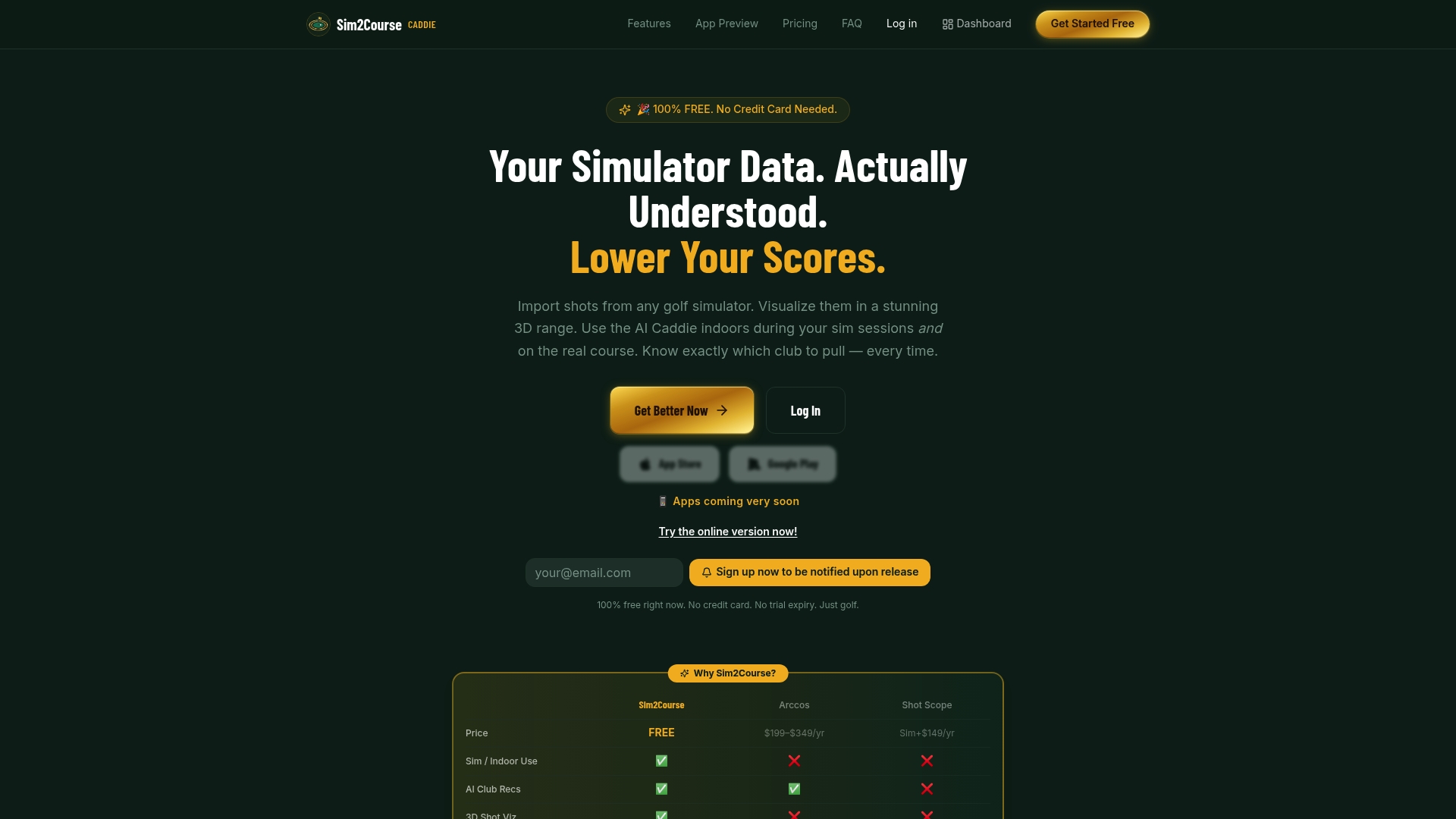
The Raw Data feature gives you full access to your shot-by-shot records across every session you import. The Range3D visualization maps your shot dispersion in 3D so you can see directional tendencies and carry distance patterns at a glance. Both features are available without a subscription fee, which means you get lifetime access to your data without ongoing costs. If you want to take your analysis further, the upgrade options add depth without locking core features behind a paywall.
FAQ
How many rounds do I need for reliable shot tracking data?
At least 10 tracked rounds reveal basic patterns like directional misses. Reaching 30 rounds gives you the confidence to make data-driven decisions about your practice and equipment.
How many shots per club should I hit in each session?
10 shots per club per session is the minimum for statistically meaningful averages. Fewer than 8 shots per club produces data that is too sensitive to outliers to trust.
Does shot tracking directly improve my swing?
Shot tracking does not fix your swing mechanics on its own. It identifies which areas of your game cost the most strokes so you can direct practice where it produces the biggest score reduction.
What is the difference between baseline and diagnostic sessions?
A baseline session captures your current performance without any swing changes. A diagnostic session targets a specific problem, such as a consistent left miss with your irons, to investigate its cause.
Can I use indoor simulator data alongside on-course tracking?
Yes. Combining indoor launch monitor sessions with on-course rounds gives you controlled data for mechanics and real-world data for scoring patterns. Sim2coursecaddie imports shot data from any simulator and applies it to on-course club recommendations.