
Session replay speeds measurable improvement by showing exactly why specific simulator shots, drills, or workflows succeed or fail. Analytics tells you your dispersion widened by 15 yards. Replay shows you why: your setup drifted two inches left across the back nine of your practice block, and you never noticed. That is the gap these two tools close together, and it is why Sim2coursecaddie integrates both into a single workflow. Experts at Lucent and VulpaSoft confirm the principle: quantitative metrics tell you what changed; replay tells you why.
TL;DR:
- Diagnose technique: Replay surfaces setup drift, timing errors, and missed visual cues your metrics cannot explain alone.
- Validate training changes: Watch whether a new grip or tempo cue actually changed your behavior, not just your score.
- Debug hardware and software issues: Replay pinpoints the exact moment a sensor mis-read or a UI input error occurred, cutting troubleshooting time sharply.
Table of Contents
- How does session replay differ from analytics in simulator practice?
- What specific friction points does session replay surface for golfers?
- How should you structure a session-replay review workflow?
- How do you use session replay to explain experiment wins and losses?
- A replay-driven improvement case using Sim2coursecaddie
- Quick checklist: what to capture and how often to review
- Key Takeaways
- The part most golfers skip
- Try the Sim2coursecaddie free analytics workflow
- Useful sources and further reading
How does session replay differ from analytics in simulator practice?
Analytics and session replay answer different questions. Analytics handles how many: shot distributions, average carry, spin rates, dispersion radius, and trends across sessions. Replay handles why: the visual cues you missed, the setup adjustment you made unconsciously, the UI input you fumbled before a shot.
Say your session trend data flags a 12% increase in lateral dispersion over three weeks. That number is the signal. Replay is the investigation. When you pull the outlier shots and watch them back, you might see a consistent late weight shift that started after you changed your mat position. The analytics could not tell you that. Replay could not tell you the trend existed without the analytics pointing you there first.
"Replay surfaces hesitation, backtracking, and UI mismatches that aggregate metrics alone cannot explain." — Datadog
When to rely on each:
- Analytics only: Tracking weekly averages, identifying which clubs or distances are trending worse, comparing sessions over time.
- Replay only: Investigating a specific outlier shot, checking whether a new drill changed your pre-shot routine, confirming a hardware input registered correctly.
- Both together: Running an experiment (grip change, tempo cue), where you need the metric outcome and the behavioral evidence to know what actually happened.
What specific friction points does session replay surface for golfers?
Session replay reveals subconscious friction that golfers cannot articulate in a post-session survey. You think you held your finish on every shot. Replay shows you released early on many of your wedges. You cannot report what you did not notice.
Four high-value use cases for simulator golfers:
- Diagnosing consistent misses. Analytics flags a pull pattern. Replay shows your ball position crept forward over 20 shots without you realizing it. Corrective action: reset your alignment rod before each block.
- Spotting setup drift during long sessions. Fatigue changes posture subtly. Replay catches the moment your spine angle dropped, usually around shot 40 of a 60-shot block. Knowing when drift starts tells you where to insert a reset drill.
- Detecting habit-based timing errors. A rushed transition looks identical to a smooth one from the inside. Replay makes it visible. A coach can clip the first 10 shots and the last 10 and show you the difference in one conversation.
- Surfacing UI and hardware input mistakes. Replay shortens debugging time by showing exactly what the user saw and did. In a simulator context, that means catching the moment a launch monitor mis-read a shot or a software input registered incorrectly, so you are not counting a bad data point as a real miss.
For coaching workflows, the third use case is especially powerful. A coach can export a 15-second clip of a timing error, attach a drill note, and send it before the next session. No ambiguity, no memory gaps.
How should you structure a session-replay review workflow?
Start with a question, not a queue. Before opening a single replay, write down the metric or drill you are validating: "Are my 100-yard wedges launching consistently below 28 degrees?" That question filters everything else.
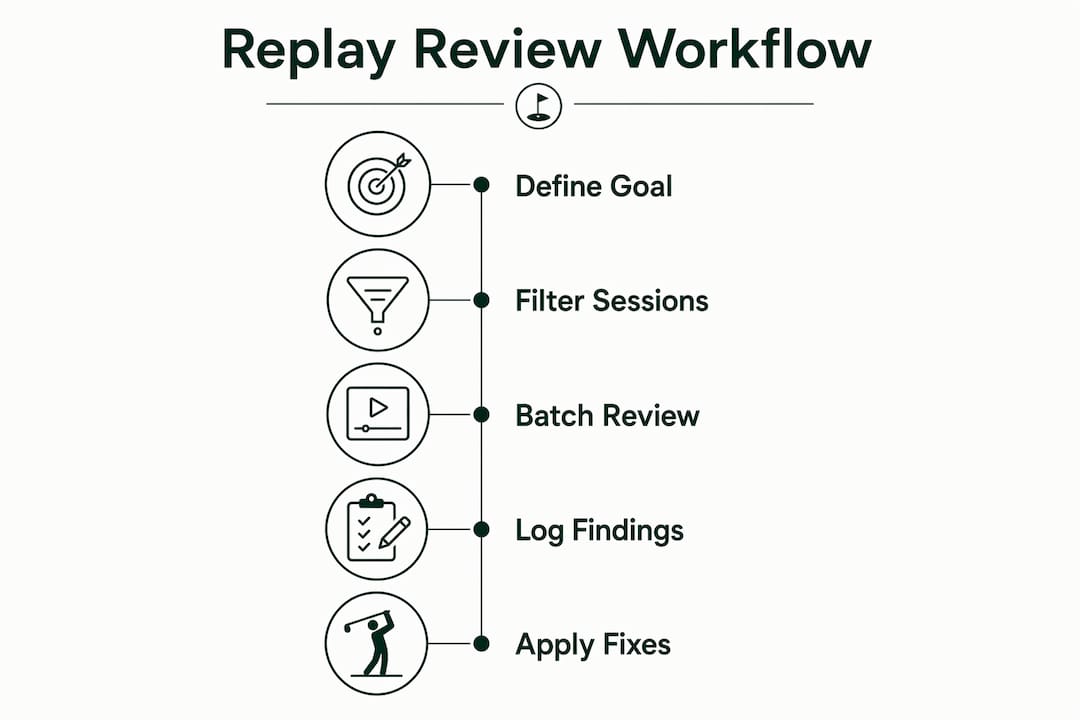
Batch review, not marathon watching. Guides from VulpaSoft recommend structured batches of 15–30 filtered sessions with a consistent note-taking template. For simulator golfers, filter by the outlier shots your analytics flagged, not by session date. Watch only the shots that matter.
Annotation template (copy into your notes app):
| Field | What to log |
|---|---|
| Timestamp | Shot number and session ID |
| Simulator metric | Carry, spin rate, launch angle, dispersion |
| Observed behavior | What you saw in the replay (setup, timing, finish) |
| Hypothesized cause | Your best explanation for the metric result |
| Corrective drill | The specific adjustment to test next session |
Pro Tip: Avoid the "watch everything" trap. If you have 80 shots in a session, filter to the worst 10% by your target metric and the best 10%. Patterns live at the extremes, not in the middle.
How do you use session replay to explain experiment wins and losses?
Small experiments, properly structured, are where replay earns its keep during A/B-style testing. The question replay answers is not just "did the variant work?" It is whether "the golfer actually used the variant, and if not, why?"
A five-step experiment plan:
- Define the metric. Example: average launch angle on 7-iron, target below 18 degrees.
- Create control and variant. Control: current setup. Variant: tempo cue card placed on the hitting mat.
- Allocate shots. 30 shots per condition, same session, same club.
- Collect analytics. Compare average launch angle and dispersion between conditions.
- Review targeted replays. Watch 10 shots from each condition. Did you look at the cue card? Did your tempo actually change?
"Product teams use replay to determine whether a variant lost because it wasn't noticed or because it failed to work — the same logic applies directly to technique experiments." — Amplitude
Two common outcomes replay clarifies: the variant "lost" because the golfer ignored the cue card after shot 5 (a discoverability failure, not a technique failure), or the variant "lost" because the new tempo created a timing mismatch visible in the replay. Those are completely different problems with completely different fixes. Analytics alone cannot separate them. This kind of drill effectiveness tracking becomes far more precise when replay evidence is part of the record.
A replay-driven improvement case using Sim2coursecaddie
Baseline: A golfer tracking 9-iron shots over four sessions notices average dispersion of 22 yards lateral. Analytics in Sim2coursecaddie flags the pattern across sessions.

What analytics showed: Dispersion spiked in the final third of each session, suggesting fatigue or drift rather than a consistent mechanical flaw.
What replay revealed: Setup alignment drifted open progressively across each session. The golfer was compensating with an over-the-top path, producing the lateral miss. The drift started around shot 35 of each 50-shot block.
Corrective action: Insert an alignment check at shot 30 of every block. Re-test over two sessions.
Post-workflow result: Lateral dispersion dropped from 22 yards to 14 yards average across the next two sessions.
| Metric | Before | After |
|---|---|---|
| Lateral dispersion (avg) | 22 yards | 14 yards |
| Sessions to identify cause | 4 | 1 (with replay) |
| Corrective drill inserted | None | Alignment reset at shot 30 |
Sim2coursecaddie features that supported this workflow:
- Session import from any simulator, preserving shot-level metadata for filtering
- 3D visualization of shot dispersion patterns across sessions
- Clip export for sharing specific shot sequences with a coach
- Annotation layer for logging hypothesized causes and assigned drills directly to saved clips
Quick checklist: what to capture and how often to review
After each practice block, capture:
- Session ID and date
- Target drill or metric for the session
- Baseline metric value (before the session)
- Top 3 anomalies: outlier shots by your target metric
- 3 saved replay clips (10–30 seconds each, pattern-confirming, not just dramatic misses)
- Coach notes or self-assessment in one sentence
Review cadence:
- Daily (5 minutes): Scan the 3 saved clips from the session. Confirm the pattern you logged matches what you see.
- Weekly (20–30 minutes): Pull the last 5 sessions, filter by your target metric, and watch a batch of 15–20 filtered shots. Update your annotation log.
- Monthly (45–60 minutes): Trend synthesis. Compare weekly averages, review annotated clips, and adjust your experiment plan for the next month.
Keep clips short. A 15-second clip of a repeating pattern is more useful than a 3-minute clip of one dramatic mis-hit. Organizing your session history so clips are tagged by drill and metric makes weekly reviews significantly faster.
Key Takeaways
Session replay improves simulator practice by pairing qualitative behavioral evidence with quantitative metrics, so golfers fix causes rather than symptoms.
| Point | Details |
|---|---|
| Analytics first, replay second | Use metrics to identify which shots and sessions to investigate before opening any replay. |
| Batch review beats marathon watching | Filter to 15–30 outlier shots and log structured notes; random watching yields anecdotes, not patterns. |
| Experiments need behavioral evidence | Replay shows whether a technique variant was actually used, separating discoverability failures from true performance failures. |
| Short clips, repeating patterns | Save 10–30 second clips of pattern-confirming shots, not dramatic one-off misses, for coaching conversations. |
| Sim2coursecaddie as the workflow platform | Import sessions, visualize dispersion, export clips, and annotate causes directly inside Sim2coursecaddie's free analytics workflow. |
The part most golfers skip
Most golfers who use a simulator check their numbers after a session and call it analysis. They see dispersion widened, shrug, and hit more balls next time. That is not analysis. That is hoping.
The real value of pairing replay with analytics is that it forces you to form a hypothesis before you practice. You are not just hitting balls. You are testing something. And when the experiment fails, you know why it failed, not just that it did. That distinction changes how fast you improve.
There is also a coaching dimension here that gets underestimated. A coach who can watch a 15-second clip of your setup drift, annotated with your spin rate at that moment, gives you a completely different instruction than one working from memory or a verbal description. The feedback loop tightens. The homework drill gets specific. Progress becomes something you can actually measure rather than feel.
The motor pattern retraining research in athletic training makes the same point: you cannot retrain a movement pattern you cannot see. Replay makes the invisible visible, which is the prerequisite for any real change.
Try the Sim2coursecaddie free analytics workflow
Golfers who follow the workflow in this article need one thing the article cannot provide: a place to run it. Sim2coursecaddie gives you session import, 3D shot visualization, clip export, and annotation in a single free platform, no hardware lock-in, no subscription required.
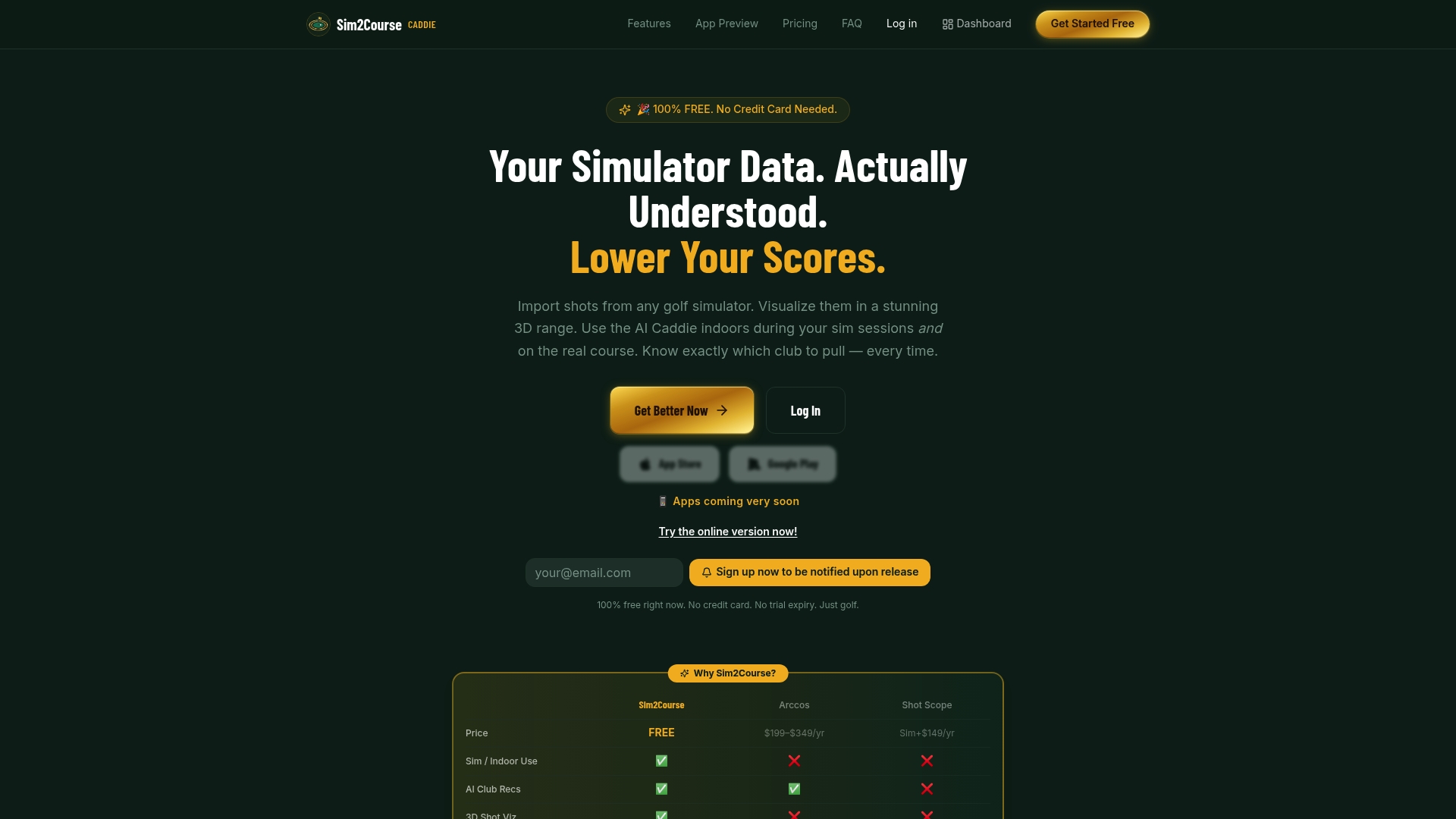
The immediate first step: import your most recent simulator session, filter to your worst 10% of shots by your target metric, save three clips with a one-line annotation on each. That is the entire starting workflow. Everything else builds from there.
Start with free analytics and run your first replay-driven review today.
Useful sources and further reading
| Source | Why it's useful |
|---|---|
| Lucent: Get value from session replays | Expert guidance on combining analytics and replay for evidence-based decisions; foundational for the analytics-vs-replay distinction. |
| VulpaSoft: Session Replays for UX Optimization | Practical batch-review technique and structured observation templates; directly informs the review workflow section. |
| Qualtrics: Session replay | Research on subconscious friction (rage clicks, dead clicks) that users cannot self-report; supports the friction-point use cases. |
| Amplitude: Session replay | Product team use of replay during A/B experiments; directly supports the experimentation section. |
| FullSession: What Is Session Replay? | Best practice on correlating replay timestamps with logs to pinpoint root causes quickly. |
| Dynatrace: What is Session Replay? | Covers how replay reduces debugging time by providing a visual recreation of exactly what occurred. |
| Datadog: What is Session Replay? | Explains how replay uncovers hesitation and UI mismatches that analytics cannot surface alone. |
| Sim2coursecaddie blog: Session history organization | Practical guide to tagging and storing simulator session clips for efficient weekly review. |
| Sim2coursecaddie blog: Drill effectiveness tracking | Real examples of experiment metrics and how to validate drill changes with replay evidence. |