
Shot-by-shot data logging is the precise recording of each golf shot's performance metrics, including distance, timing, and accuracy, to produce objective evidence for game improvement. This method eliminates guesswork by replacing subjective memory with measurable data captured at the individual shot level. Tools like Sim2coursecaddie and AI-powered mobile apps have made this approach accessible to any golfer with a smartphone. The shift from session-level summaries to shot-level records is the single most effective change a serious golfer can make to their training process.
What is shot-by-shot data logging in golf?
Shot-by-shot data logging is the industry term for granular performance tracking, where every individual shot receives its own record rather than being averaged into a session summary. Data-driven video analysis is the primary method for objectively identifying and fixing performance mistakes. That finding matters because it confirms that memory and feel alone are not reliable enough for consistent improvement.
The standard logging workflow captures three types of information for each shot: what club was used, what the ball did (distance, direction, carry), and what the swing produced (tempo, face angle, path). Each data point becomes a searchable record rather than a forgotten moment. Over time, those records reveal patterns that no golfer can detect through feel alone.

The term "shot-by-shot analysis" is sometimes used interchangeably with shot-level tracking or granular performance logging. All three phrases describe the same core practice. The key distinction from traditional tracking is the unit of measurement: one shot, one record, not one session, one average.
How does the logging process actually work?
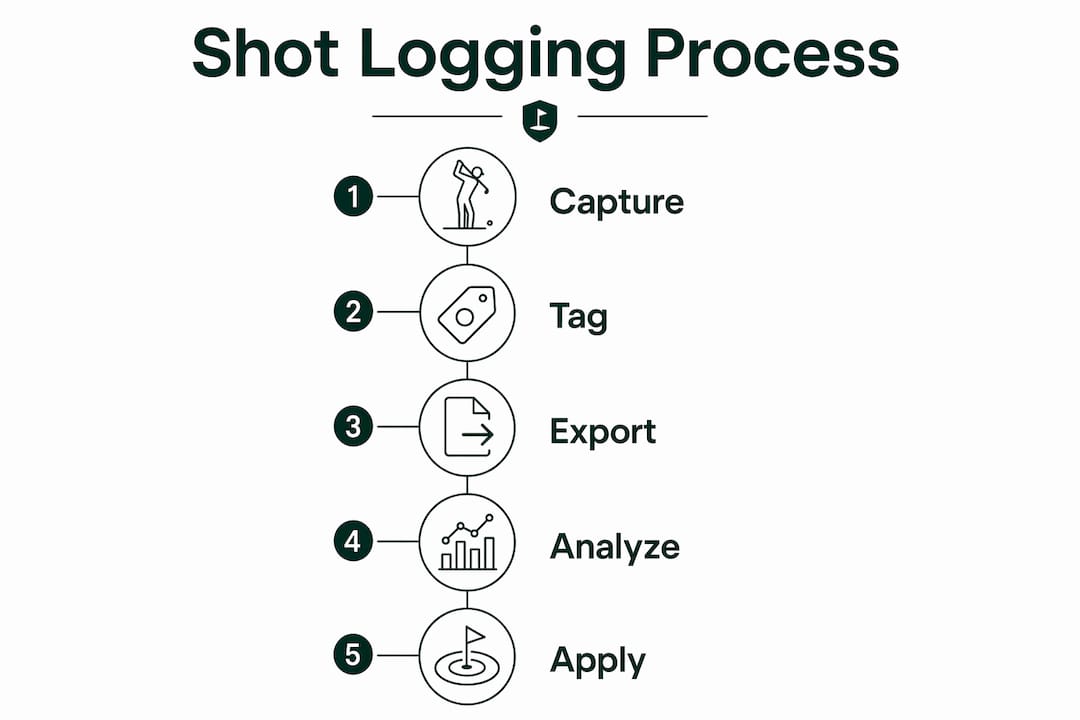
The technical workflow behind shot-by-shot logging follows three repeatable steps regardless of the tool you use.
- Record the action. Every swing is captured, either through a simulator sensor, a smartphone camera, or a wearable device. The recording creates the raw data source.
- Define shot boundaries. AI-based tools or manual tagging mark where one shot ends and the next begins. This step is what separates a continuous video file into individual, addressable shot records.
- Overlay objective metrics. Distance, carry, club speed, and accuracy scores are attached to each shot record. Syncing video with objective metrics converts subjective feelings into objective evidence of mechanical flaws.
Once captured, data is exported in one of two standard formats. CSV files work best for spreadsheet-based trend analysis and training logs. JSON files preserve the full technical payload, making them the right choice for AI-powered deep analysis and auditing. CSV for trend analysis and JSON for deep audits is the accepted best practice across performance sports data systems.
Latency also matters. Serial data outputs typically run 1–10ms, while high-volume storage systems run 10–100ms. In golf, that difference affects how accurately a shot timer or sensor timestamps each swing event.
Pro Tip: Tag each shot at capture time with club, wind condition, and session goal. Retroactive tagging takes three times as long and often gets skipped entirely.
Why shot-level tracking beats session summaries
Session-level tracking gives you an average. Shot-level tracking gives you a story. Those two things produce very different training outcomes.
Each shot becomes a unique, searchable, and exportable asset when logged individually. That means you can pull every 7-iron shot from the past three months, filter by wind condition, and compare carry distances in under a minute. With a session summary, that query is impossible.
Key advantages of shot-level logging over bulk session tracking:
- Club performance variability. A session average hides the fact that your 6-iron is consistent but your 5-iron has a 30-yard spread. Shot-level data surfaces that gap immediately.
- Shot sequencing patterns. You can identify whether your accuracy drops after three consecutive driver swings, a pattern invisible in session totals.
- Real-time correction. IoT-based logging enables near-instant feedback to cloud platforms, which means technical errors get flagged before they become habits.
- Exportable training logs. Shot records can be shared with a coach, loaded into a dashboard, or compared across months without manual reformatting.
- Trend identification. Tracking session trends over time reveals whether your improvement is real or just variance from a good day.
The practical difference shows up at the course. A golfer who knows their 8-iron carries 142 yards in calm conditions but drops to 134 yards in a 10 mph headwind makes better club choices than one who guesses from memory.
What technologies make shot logging accessible today?
AI-powered smartphone apps can now match professional-grade equipment for shot detection and analysis. That shift has removed the hardware barrier that once kept granular data logging inside professional training facilities.
The current generation of tools for golfers includes:
- Simulator-integrated apps. Platforms like Sim2coursecaddie import shot data directly from any home golf simulator, then visualize it in a 3D driving range environment. No additional hardware is required.
- AI club recommendation engines. Sim2coursecaddie uses AI to match your logged shot history against real-time course conditions and recommend the right club for each situation.
- Smartphone sensor logging. Browser-based AI shot timers cost as little as $0, with app subscriptions running around $40 per year. That pricing puts professional-level logging within reach of any golfer.
- Video plus data sync. Overlaying AI data directly onto video files improves understanding of performance issues by connecting what you see with what the numbers say.
The AI identification of improvement opportunities has moved from a tour-level luxury to a home practice room standard. Golfers who train on simulators now have access to the same quality of shot data that professional caddies once compiled manually.
Pro Tip: Connect your simulator to a logging app before your first session, not after. Retroactive data reconstruction from memory defeats the entire purpose of objective tracking.
Best practices for organizing and analyzing your shot data
Collecting shot data is the easy part. Organizing it so it stays useful six months from now requires a deliberate system from day one.
The table below compares two approaches to shot data organization: unstructured logging versus structured, tagged logging.
| Approach | Method | Outcome |
|---|---|---|
| Unstructured logging | Record shots with no labels or categories | Data becomes unsearchable after a few sessions |
| Tagged logging | Label each shot by club, condition, and goal | Instant filtering and trend analysis across months |
| Session-only export | Export one summary file per session | Loses individual shot context permanently |
| Shot-level export (CSV) | Export one row per shot with full metrics | Enables spreadsheet dashboards and coach sharing |
| Shot-level export (JSON) | Export full technical payload per shot | Supports AI analysis and deep performance auditing |
A logging bottleneck occurs when large volumes of data are collected without a retrieval plan. The fix is indexing shots by attributes at capture time, not after the fact. Tagging shots by club, conditions, or goal at the moment of capture is the single most cited best practice among performance data practitioners.
Building a training dashboard from your shot records is the next step. A golf performance dashboard built from simulator data lets you visualize carry distance trends, accuracy by club, and session-over-session improvement in one view. That visual layer turns raw numbers into decisions.
For tournament preparation, shot data becomes a club selection tool. Personal shot data informs club choice by showing your actual carry distances under specific conditions rather than the manufacturer's average. A golfer who knows their real numbers under pressure makes fewer costly mistakes on the course.
Tracking multiple clubs across sessions also reveals which parts of your bag need the most work. Most golfers overestimate their consistency with mid-irons and underestimate how much their wedge distances vary by lie condition. Shot-level data corrects both assumptions with facts.
Key Takeaways
Shot-by-shot data logging is the most direct path from practice repetition to measurable on-course improvement, because it turns every swing into a permanent, searchable record.
| Point | Details |
|---|---|
| Core definition | Shot-by-shot logging records one set of objective metrics per shot, not per session. |
| Standard formats | Export shot data as CSV for trend analysis and JSON for AI-powered deep auditing. |
| Tag at capture | Label each shot by club, condition, and goal the moment it is recorded to prevent data loss. |
| Real-time feedback | IoT and AI tools deliver near-instant correction, stopping bad habits before they form. |
| Accessibility | Smartphone AI apps and platforms like Sim2coursecaddie make professional-grade logging free or low-cost. |
Jeff's take: the number that changed how I think about practice
Most golfers I talk to believe they already know their distances. They have a number in their head for every club, and they trust it. Shot-by-shot data logging almost always proves that number wrong, and not by a little.
The first time I ran a full logging session on my 6-iron, I expected to see a tight cluster around 165 yards. What I got was a spread from 148 to 179 yards across 20 shots. The average was close to my mental number, but the variance told a completely different story about my consistency. That spread was the real data. The average was just a comfortable fiction.
The biggest mistake I see golfers make with data logging is collecting everything and analyzing nothing. They run three sessions, export the files, and then never open them again because the volume feels unmanageable. The fix is not better software. It is a simpler tagging habit. If you label every shot before you hit it, the analysis takes minutes instead of hours.
The future of this practice is real-time AI feedback during the swing, not just after it. The technology is close enough that golfers who build the logging habit now will have a significant head start when that capability becomes standard. Start with one club, one session, and one clear question you want the data to answer. The habit builds from there.
— Jeff
How Sim2coursecaddie brings shot logging to your home simulator
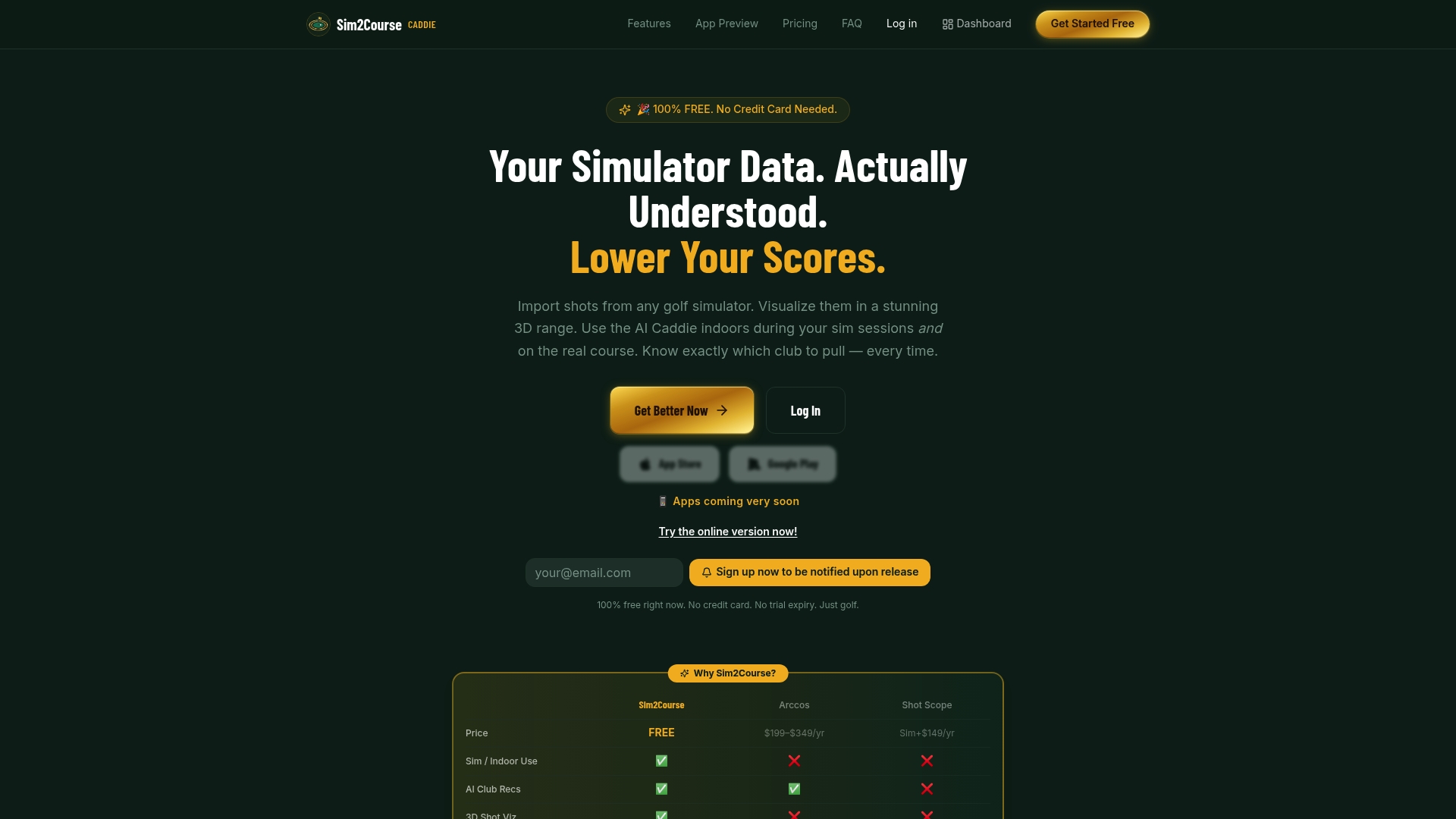
Sim2coursecaddie is built specifically for golfers who want to turn simulator practice into on-course results. The platform imports shot data from any golf simulator, visualizes each swing in a 3D driving range, and applies AI-driven club recommendations based on your actual logged performance. No extra hardware, no expensive subscription required.
The Range3D feature gives you a spatial view of every shot in your session, making distance patterns and miss tendencies immediately visible. The raw shot data tools let you export your full shot history in the formats that matter for serious analysis. For golfers ready to take their tracking further, the Sim2coursecaddie upgrade unlocks enhanced analytics built for players who treat every session as a data collection opportunity.
FAQ
What is shot-by-shot data logging in simple terms?
Shot-by-shot data logging records a separate set of performance metrics for every individual shot you hit, rather than averaging your results across a full session. Each record includes data like distance, club, and accuracy, creating a permanent, searchable training log.
What data formats should I use for shot logging?
CSV is the standard format for spreadsheet-based trend analysis and sharing data with a coach. JSON preserves the full technical payload and is the right choice for AI-powered analysis and long-term auditing.
Do I need expensive hardware to log shot data?
No. AI-powered smartphone apps can match professional-grade equipment for shot detection, and browser-based tools are available at no cost. Platforms like Sim2coursecaddie work with any existing home simulator without additional hardware.
How does shot-level logging improve my club selection?
Shot-level logs show your actual carry distances under specific conditions, not manufacturer averages or mental estimates. That data directly informs club selection for tournaments and reduces costly on-course guesses.
What is a logging bottleneck and how do I avoid it?
A logging bottleneck happens when you collect large volumes of shot data without a system for retrieving it. Tagging each shot by club, condition, and session goal at the moment of capture prevents the data from becoming an unsearchable archive.