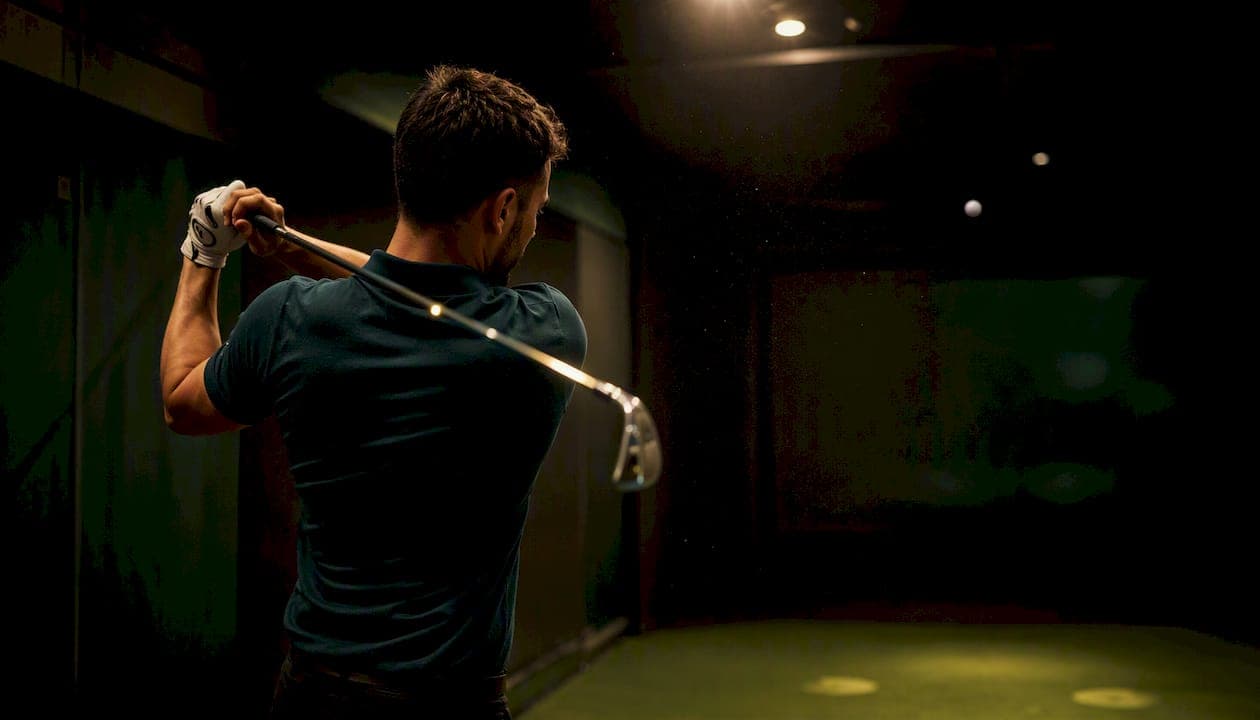
Offline distance is the horizontal distance a ball finishes left or right of your intended target line, measured in feet or yards. Left of the line is recorded as negative; right is positive. That single number tells you more about your directional accuracy than any other shot metric, and it's the starting point for diagnosing whether your misses come from a face problem, a path problem, or both.
Key Takeaways
Offline distance is the single most direct measure of directional accuracy in golf, and face angle at impact is the primary driver of how far offline your shots land.
| Point | Details |
|---|---|
| Definition and units | Offline distance is horizontal distance left/right of the target line, reported in feet or yards; left is negative, right is positive. |
| Face beats path | Clubface direction controls roughly 75–85% of start direction and produces larger offline results than an equal path change. |
| Benchmark by club | Scratch golfers average under 15 ft offline with a driver; mid-handicaps typically land 15–30 ft offline. |
| Minimum sample size | Use at least 20–30 shots per club per session before drawing conclusions; track across multiple sessions for a reliable baseline. |
| Sim2coursecaddie | Free analytics tier lets you import any simulator session, view per-club offline charts, and track dispersion trends with no subscription. |
Table of Contents
- What does offline distance mean in golf, and how do monitors measure it?
- Clubface vs. swing path: which one actually moves the ball offline?
- What counts as a good offline number?
- How to measure offline distance on the course without a launch monitor
- How to turn offline data into a practice plan
- How Sim2coursecaddie visualizes and helps reduce your offline distance
- The fastest way to actually improve your offline numbers
- Sim2coursecaddie makes offline-distance tracking free from day one
- Sources
What does offline distance mean in golf, and how do monitors measure it?
Ball offline refers to the horizontal distance the ball lands relative to the target line, and launch monitors typically report it in feet. The target line itself is defined by the aim you input before the shot, usually set by aligning the clubface or entering a target direction in the monitor's software.
Different monitors use slightly different labels for related concepts, so it helps to know what each one actually records:
- Ball offline / lateral deviation: horizontal distance from the target line at the landing point (carry-based). This is the primary offline metric.
- Launch direction: the initial lateral angle the ball leaves the face, relative to the target line. A launch direction of zero means the ball started directly at the target, with no left or right bias at takeoff.
- Curvature / side spin: how much the ball curves after launch, which combines with launch direction to produce the final offline number.
Ball offline is the number that matters most for on-course performance because it reflects where the ball actually ends up, not just where it started. Launch direction and curvature are diagnostic inputs that explain why the ball ended up there.
| Measurement point | Typical label | Unit |
|---|---|---|
| At launch (initial direction) | Launch direction | Degrees |
| At landing (carry-based) | Ball offline / lateral deviation | Feet or yards |
| Curvature component | Side carry / curve | Feet or yards |
For standardized dispersion analysis, offline distance is recorded in a Cartesian coordinate system: left of the target line is negative, right is positive. That sign convention lets you compute mean lateral bias and standard deviation across a session, which is far more useful than eyeballing a scatter of dots.
One practical note: when using a simulator, rely on carry-based offline numbers rather than total distance. Simulators are generally accurate for carry distance but model rollout differently across systems, so carry is the repeatable metric for club gapping and practice.
Pro Tip: If your monitor shows both "ball offline" and "launch direction," compare the two. A large launch direction with small ball offline means the ball curved back toward the target. A small launch direction with large ball offline means it curved away. Each pattern points to a different fix.
Clubface vs. swing path: which one actually moves the ball offline?
The short answer: face angle. Coaching analyses consistently show that clubface direction produces a larger offline effect than an equal change in swing path, because the face controls roughly 75–85% of the ball's initial start direction. Path matters for curvature, but if the face is square, even a significant path error produces a shot that starts close to the target and curves back.
The rule-of-thumb coaches use for curvature by club:
- Wedges: roughly 1% of carry distance curves per degree of face-to-path difference
- 7-iron: roughly 2% of carry distance curves per degree
- Driver: up to roughly 4% of carry distance curves per degree
Here's what that looks like in practice with two worked scenarios.
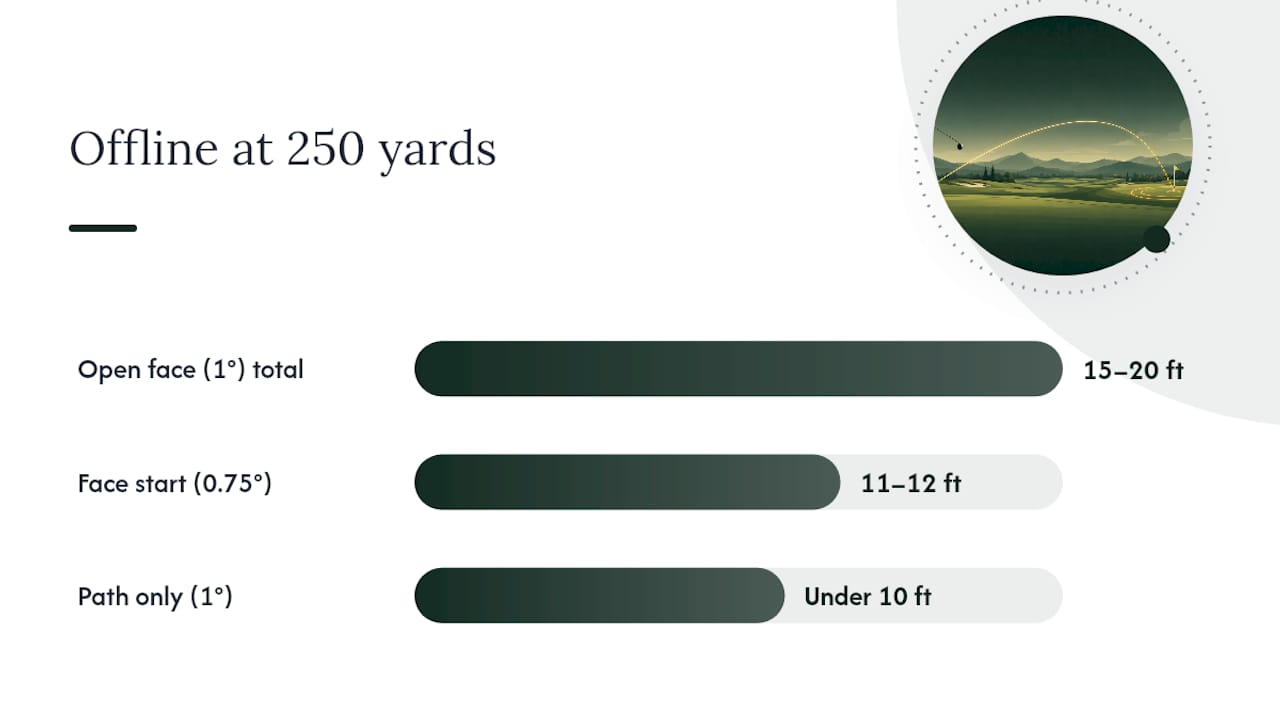
Scenario A: 1° open face at 250-yard driver carry
At 250 yards, 0.75° of lateral angle translates to roughly 11–12 feet right at landing. Add curvature from the face-to-path relationship and the ball can finish 15–20 feet right of the target line, depending on path.

Scenario B: 1° outside-in path with a square face, same distance
With the face square, the ball starts near the target. The path creates a slight draw or fade, but the lateral curve at 250 yards from a 1° path change is roughly 10 feet or less. The ball stays much closer to the target line than in Scenario A.
| Scenario | Face error | Path error | Approx. offline at 250 yd |
|---|---|---|---|
| A: Open face | 1° open | Neutral | 15–20 ft right |
| B: Path only | Square | 1° outside-in | Under 10 ft |
The diagnostic checklist at impact: face angle, path direction, launch direction, and curvature. Check them in that order. Face angle first, always.
Pro Tip: When you see a consistent left or right miss pattern, look at your face angle before adjusting your swing path. Most golfers chase path changes when a simple face correction would fix the miss in half the time.
What counts as a good offline number?
Context matters here. A 10-yard miss with a driver on a 50-yard-wide fairway is fine; the same miss with a 9-iron into a 25-foot-wide green is a bogey. Benchmarks only make sense relative to the target size you're aiming at.
That said, here are practical ranges by skill level and club:
A few things worth knowing about these numbers. First, dispersion is not symmetric for most golfers. You'll likely have a consistent bias left or right, not a random scatter. That bias is diagnostic. Second, environmental factors affect carry distance, and carry affects how offline distance translates on course. Temperature changes carry by about one yard per degree Fahrenheit away from 70°F, and altitude can increase carry distance by around six percent at 5,000 feet. A shot that's 15 feet offline at sea level in cool weather might land in a different position than the same swing at altitude in summer.
- A 5–10 yard offline miss with a driver usually keeps you in the short rough or on the fairway edge.
- A 20+ yard offline miss at driver distance puts you in trouble on most courses.
- With wedges, anything over 10 feet offline from 100 yards is a missed green.
Pro Tip: Use personal shot data to set your own benchmarks by club. Generic ranges are a starting point, but your dispersion pattern tells you which club is costing you the most strokes.
How to measure offline distance on the course without a launch monitor
You don't need a $20,000 monitor to get useful offline data. A tape measure and some discipline get you most of the way there.
- Pick a clear reference line. Use a fairway edge, a sprinkler head, or an alignment rod laid parallel to your target line. The reference needs to be visible from your landing zone.
- Mark your landing spot. Drop a tee or a small marker where the ball first hits the ground. Carry only, not rollout.
- Measure the perpendicular distance. From the landing marker, measure straight across to your reference line. That distance, in feet or yards, is your offline number.
- Record the direction. Note left or right. Use negative for left, positive for right, to stay consistent with monitor conventions.
- Repeat. Hit at least 20 shots per club per session before drawing conclusions. Single-shot readings are noise.
Tools and their trade-offs:
- Tape measure: most accurate for short distances; slow on a busy range
- Alignment rod: good for a quick visual reference; doesn't give you a number
- Phone GPS apps: useful for marking carry spots on a course; accuracy varies by app and signal quality
A few etiquette notes: stay off other players' lines when placing markers, mark your ball clearly, and keep the process quick. If you're on a public range, work during off-peak hours when you can set up a reference line without disrupting others.
How to turn offline data into a practice plan
Raw numbers don't fix anything. Here's how to move from data to drills.
- Identify your bias. After 20–30 shots, calculate your average offline per club. A consistent negative average means a left bias; positive means right. Random scatter with no pattern suggests an inconsistency problem, not a systematic one.
- Check by club and lie. Compare your driver offline to your iron offline. If the driver is consistently right but irons are neutral, the issue is likely driver-specific (face angle at impact with a longer shaft, or tee height). If all clubs miss the same direction, it's probably alignment or a swing-wide pattern.
- Match the drill to the diagnosis.
- Consistent face-open miss (right for right-handers): gate drills with two alignment rods, impact bag work, or slow-motion face-at-impact checkpoints with video.
- Consistent path miss (pull or push with no curve): path-gate drills, inside-out swing drills with a headcover outside the ball.
- Alignment issue: pre-shot routine work with a rod on the ground confirming foot and shoulder lines.
- Set a session target. Aim to reduce your average offline by 10–15% per session, not eliminate it. Progress in dispersion metrics is gradual. Tracking drill outcomes across multiple sessions is the only way to separate real improvement from day-to-day variation.
- Use 20–30 shots per club per session as your minimum sample. Fewer than that and you're reading noise. Multi-session logging across three or more sessions gives you a reliable baseline.
A small improvement that holds across three sessions is real. A big improvement in one session that disappears the next is variation.
How Sim2coursecaddie visualizes and helps reduce your offline distance
Sim2coursecaddie is built specifically for this workflow. Once you import a session from any simulator or launch monitor, the app plots your shots in a 3D driving range view so you can see your dispersion pattern at a glance rather than reading a column of numbers.
Key features for offline-distance work:
- Per-club offline charts: filter by club to see your average lateral bias and dispersion spread for each one
- 3D shot visualization: view your full dispersion in a spatial layout that makes left/right patterns immediately obvious
- Trend charts: track your average offline across sessions to confirm whether drills are working
- AI-driven club recommendations: the Pro tier ties your offline and distance data to real course conditions, suggesting which club to play given your actual dispersion, not a textbook carry number
The free analytics tier covers import, visualization, and per-club offline analysis with no subscription required. The Pro tier ($1/month or $9.99/year) adds the live GPS caddie and real-time conditions for on-course recommendations.
A quick workflow: import your session, open the per-club offline chart, filter by the club you're working on, and compare your average offline to the benchmarks above. If the number is outside your target range, the drill list in the previous section gives you a starting point.
The fastest way to actually improve your offline numbers
Most golfers spend practice time on path adjustments when the face is the real problem. Face control is the highest-leverage skill for reducing offline distance quickly, and the data backs that up. A 1° face correction at driver distance moves the ball roughly 11–12 feet closer to the target line before curvature even enters the picture.
If you only have time for one thing, work on face angle at impact. Video your hands and clubface through the hitting zone, or use an impact bag to feel where the face is pointing at contact. Path work matters, but it's a second-order fix. Get the face square first, then shape the shot.
Measuring progress with field methods or an app like Sim2coursecaddie removes the guesswork. You don't need to feel like you're hitting it better. You need to see the average offline number move across sessions.
Sim2coursecaddie makes offline-distance tracking free from day one
Serious golfers who want to reduce their offline numbers have a clear path: import your data, see your dispersion, and apply targeted drills. Sim2coursecaddie gives you that entire workflow at no cost for the core analytics.
Import any simulator session and get per-club offline charts, 3D shot visualization, and trend tracking across sessions, all on the free analytics tier. No hardware purchase required, no expensive subscription to start. When you're ready to take your offline analysis onto the course, the Pro GPS caddie ($1/month) ties your dispersion data to live conditions at any golf course in the US, so your club recommendations reflect your actual offline tendencies, not a generic yardage chart. Sign up at Sim2coursecaddie and import your first session today.
Sources
- Understanding Foresight Ball Data: Ball Offline - Flagstick Golf Performance
- The Biggest Cause of an Offline Golf Shot - Adam Young Golf
- Pro golfers calculate their yardages — Golf Digest
- How Accurate Are Golf Simulators for Distance (What Most Golfers Miss) - Golfdeft
- The relationship between player skill level and golf shot feel estimation - Golf Science Journal