The job of a simulator-practice analytics app is simple to state and hard to execute: convert raw shot logs from any launch monitor into repeatable dispersion profiles, distance trends, and AI-informed club choices you can actually use on the course. For competitive golfers, the tools that deliver on that promise share four non-negotiable traits:
- Validated data import from multiple simulator and launch-monitor formats
- Repeatable dispersion analysis across 10-shot blocks and full sessions
- Session-over-session comparisons that show whether practice is moving the needle
- Live-course caddie integration that applies your practice numbers to real holes
Sim2Course Caddie is built around exactly this workflow. It pulls shot data from any simulator, renders swings in a 3D range, and feeds that data into an AI caddie with live GPS. The sections below explain how to get the most out of tools in this category, which metrics matter most, and when to hand the data to a human fitter.
Table of Contents
- What must a simulator-practice analytics app actually do?
- How does AI generate club recommendations, and what can it not do?
- Which shot metrics should competitive golfers actually track?
- How do you run a session that actually produces improvement?
- How does live GPS turn practice numbers into real course decisions?
- When should you act on the data yourself vs. book a fitter?
- Key Takeaways
- What the data actually changes about how you practice
- Sim2Course Caddie gives you a free starting point right now
- Useful sources
What must a simulator-practice analytics app actually do?
The feature list that separates a serious training tool from a glorified scorecard app is shorter than vendors make it sound. These are the capabilities that matter:
- Drill tracking: — the ability to tag a block of shots as a specific drill and compare pre/post dispersion within the same session
The role of data visualization in surfacing swing issues is underrated. A 3D replay makes a low-and-left miss pattern obvious in seconds; a table of numbers rarely does.
Pro Tip: Before importing a session, confirm the launch monitor's ball-speed and club-speed fields are labeled consistently across exports. A mislabeled column silently corrupts every smash-factor calculation downstream.
How does AI generate club recommendations, and what can it not do?
AI-driven caddie systems pull from three input layers: your launch metrics (ball speed, launch angle, spin rate, carry), your dispersion statistics per club, and live course or conditions data (wind, altitude, hole layout). From those inputs, the system ranks club choices by probability of a favorable outcome, suggests aim offsets based on your dispersion ellipse, and flags carry windows where your numbers are reliable vs. uncertain.
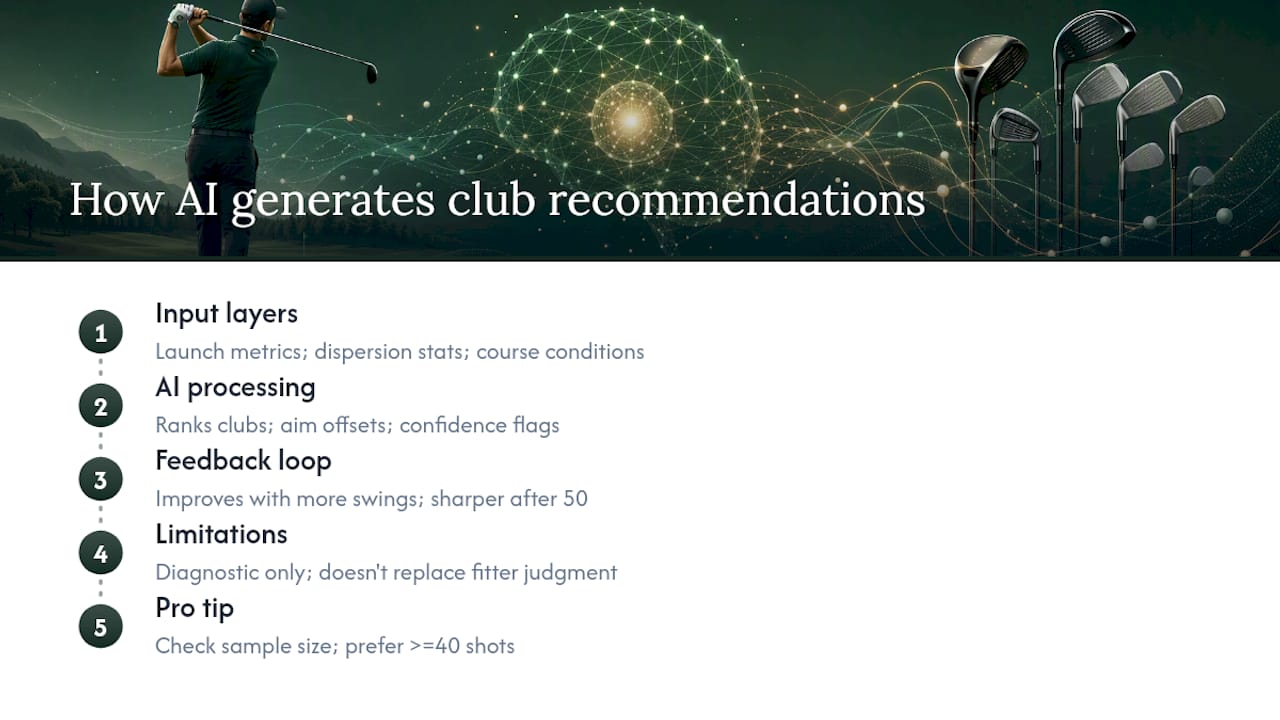
Modern AI fitting tools integrate directly with launch monitors to refine recommendations dynamically as more swings are recorded. That feedback loop is what makes the output sharper after 50 shots than after 10.
The limit is equally important to understand. As MyGolfSpy put it after testing Wilson FitAI:
AI is best used as a diagnostic "flashlight" — it identifies patterns and equipment candidates quickly, but it does not replace an experienced fitter who contextualizes data with hands-on judgment.
A real-world test reported by Golf Digest showed 19 additional yards and 75% tighter dispersion when AI-assisted fitting was combined with a fitter's final adjustments. The AI narrowed the candidates fast; the human made the call.
Pro Tip: Check the sample size behind any AI recommendation before acting on it. A suggestion built on eight shots carries far less weight than one built on 40. Most apps surface this confidence indicator — look for it.
Which shot metrics should competitive golfers actually track?
Understanding each metric is the prerequisite for converting simulator numbers into practice adjustments. Here is a prioritized reference:
| Metric | What it predicts | Practice focus |
|---|---|---|
| Lateral offline (dispersion) | Scoring probability per hole | Aim offset, club path, face angle |
| Carry distance | Club selection on approach shots | Strike consistency, ball speed |
| Smash factor | Strike quality (ball speed ÷ club speed) | Contact drills, center-face impact |
| Launch angle | Trajectory and carry efficiency | Attack angle, dynamic loft |
| Spin rate | Shot shape control, stopping power | Shaft flex, face contact point |
| Clubhead speed | Raw distance ceiling | Speed training, sequencing |
| Spin axis | Curve direction and severity | Face-to-path relationship |
| Club path / face angle | Ball flight shape | Swing direction drills |
Dispersion comes first for most competitive golfers. Shot dispersion is more predictive of scoring than raw distance, and plotting at least 15 shots per club reveals a reliable dispersion profile that shows exactly where your misses cluster. Distance matters, but a 10-yard gain that widens your lateral spread by 15 yards is a net loss on most courses.
Coaching guides consistently point to club path and face angle as the two numbers that most directly control ball flight for the majority of players — build your drills around those first.
How do you run a session that actually produces improvement?
The difference between productive and wasted simulator time is structure. Knowing which numbers to care about and converting them into drills is what separates players who improve from those who just accumulate data.
Step-by-step export and import routine:
- Export your session file from the launch monitor in CSV or JSON format immediately after practice.
- Import into your analytics app and verify that ball speed, carry, and lateral offline fields populated correctly.
- Label the session with club set, date, and practice goal (e.g., "Driver dispersion — reduce lateral spread").
- Flag any shots hit with obvious mis-hits or equipment issues before running dispersion calculations.
Sample 60–90 minute session:
- Warm-up (10 min): 15 wedge shots, no target, just confirming smash factor is consistent (1.35–1.40 for irons).
- Dispersion block (30 min): 15 shots each with 7-iron and driver. Hit a minimum of 15 shots per club and treat every swing as an on-course shot — no cherry-picking.
- Drill block (20–30 min): Pick the one metric that showed the widest variance. If driver lateral offline was the problem, run a gate drill or alignment-stick path drill for 20 shots, then re-test 10 shots without the aid.
- Verification block (10 min): 10 shots with the drill club, logged separately. Compare dispersion ellipse to the pre-drill block.
Post-session checklist:
- Export the session log and label it with the drill used
- Note whether smash factor held steady through the drill block
- Flag any metric that moved more than 10% in either direction for follow-up next session
- Compare this session to your previous one to confirm the trend is moving the right direction
How does live GPS turn practice numbers into real course decisions?
Practice carry numbers and on-course carry are not the same. Simulators typically measure in controlled conditions; real rounds add wind, elevation change, and lie variation. A live GPS caddie bridges that gap by adjusting your practice carry data against current conditions before recommending a club.
Here is a concrete example: your 7-iron averages 165 yards carry in the simulator with a 12-yard lateral dispersion window. On a hole playing 158 yards into a 10 mph headwind with a front-right pin, the caddie adjusts your carry down, narrows the aim point left of the pin to account for your miss tendency, and may suggest a smooth 6-iron instead. That is practice data becoming course strategy in real time.
Wind and altitude affect carry and spin differently. Spin-sensitive shots (high-lofted irons, wedges) lose more carry in a headwind than low-spin shots (driver, fairway woods) at the same wind speed — the caddie needs your spin data, not just your average carry, to make an accurate adjustment.
Pro Tip: Run a range-to-course calibration block at the start of each season. Hit 10 shots with your 7-iron on a calm day, record carry on the simulator, then verify against a GPS-measured carry on the course. Apply that offset as a calibration factor in your app settings.
When should you act on the data yourself vs. book a fitter?
Use the app's output to drive your own practice decisions when the issue is repeatable and the data is clean. Book a fitter when:
- The AI predicts a yardage gain of more than 10 yards from an equipment change — that scale of gain almost always involves shaft flex, head design, or loft/lie that requires hands-on verification.
- Dispersion stays wide after six or more dedicated drill sessions targeting the same metric.
- Your on-course results consistently contradict the simulator data, suggesting a swing-fit interaction the app cannot diagnose remotely.
- Smash factor is consistently low despite clean contact — a sign of equipment mismatch rather than a technique issue.
When you go to a fitter, bring your session exports, your 10-shot dispersion blocks, and your carry histograms. AI accelerates candidate identification in very few swings, but the fitter's hands-on lie, loft, and shaft check finalizes the decision. Independent fitting resources like Plaid Gorilla Golf's accessory and fitting guides offer useful context on brand-agnostic fitting approaches worth reviewing before your appointment.
Key Takeaways
Sim2Course Caddie converts simulator shot logs into dispersion profiles, distance trends, and AI-informed on-course club choices — all accessible free, with Pro GPS caddie features at $1/month.
| Point | Details |
|---|---|
| Dispersion before distance | Shot dispersion predicts scoring more reliably than raw distance; track lateral offline first. |
| Minimum 15 shots per club | Always hit at least 15 shots per club for a reliable dispersion profile. |
| Validate before trusting AI | Check smash factor, sample size, and launch-monitor calibration before acting on any recommendation. |
| AI as flashlight, not fitter | Use AI output to narrow candidates and guide drills; book a human fitter for equipment changes above 10 yards. |
| Sim2Course Caddie free tier | Start with free analytics and 3D visualization; upgrade to Pro ($9.99/year) for live GPS caddie features. |
What the data actually changes about how you practice
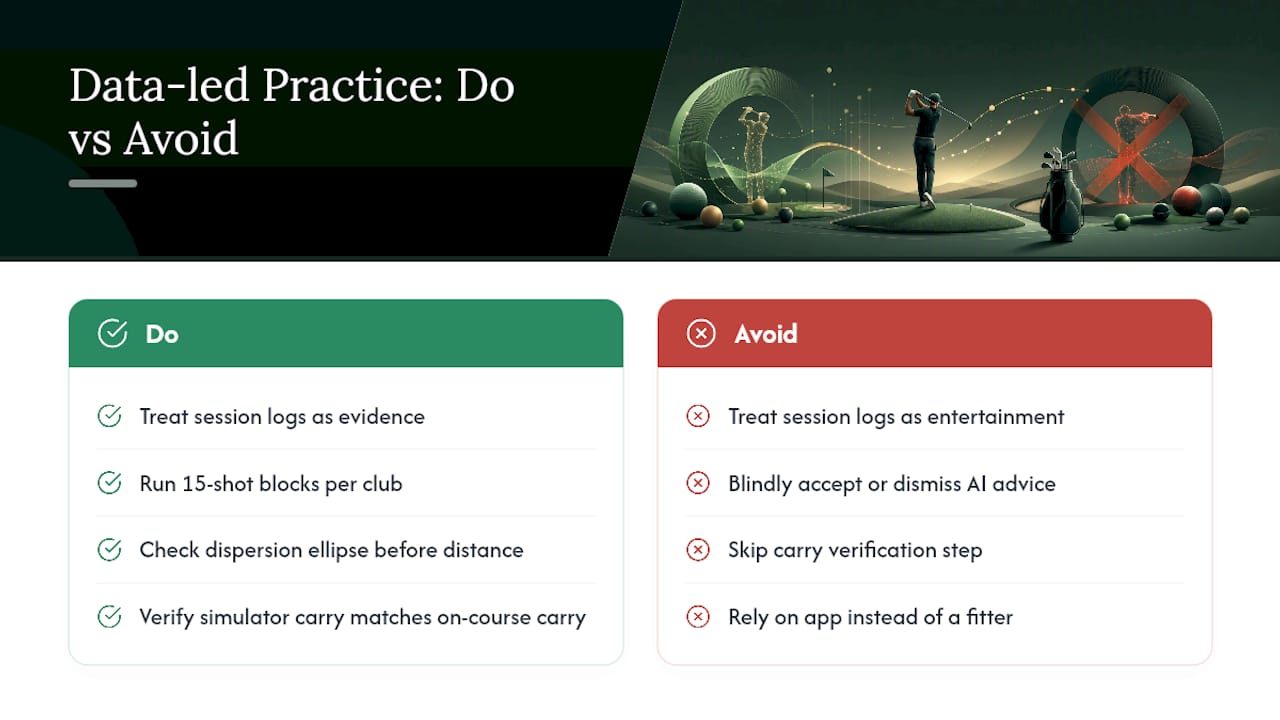
The conventional wisdom says more simulator time equals more improvement. It does not. The players who close the gap between their practice numbers and their handicap are the ones who treat the session log as evidence, not entertainment. They run 15-shot blocks per club. They look at the dispersion ellipse before they look at the distance number. And when the AI flags a club recommendation that contradicts their on-course feel, they investigate rather than dismiss or blindly accept.
What I find most useful about the AI-caddie model is the calibration discipline it forces. You cannot use live-course recommendations responsibly without first verifying that your simulator carry numbers match your on-course carry. That verification step alone, which most golfers skip entirely, tends to reveal a 5–15 yard gap that explains years of club-selection errors. The app surfaces the gap; the golfer has to close it.
The limit worth stating plainly: no analytics app replaces a fitter's hands on your club. When the data points to an equipment change, the app's job is done. A fitter's job is just beginning.
Sim2Course Caddie gives you a free starting point right now
Your practice data is already sitting in your simulator's export folder. Sim2Course Caddie pulls it in, shows you your dispersion ellipse per club, and lets you compare sessions without a spreadsheet or a subscription fee.
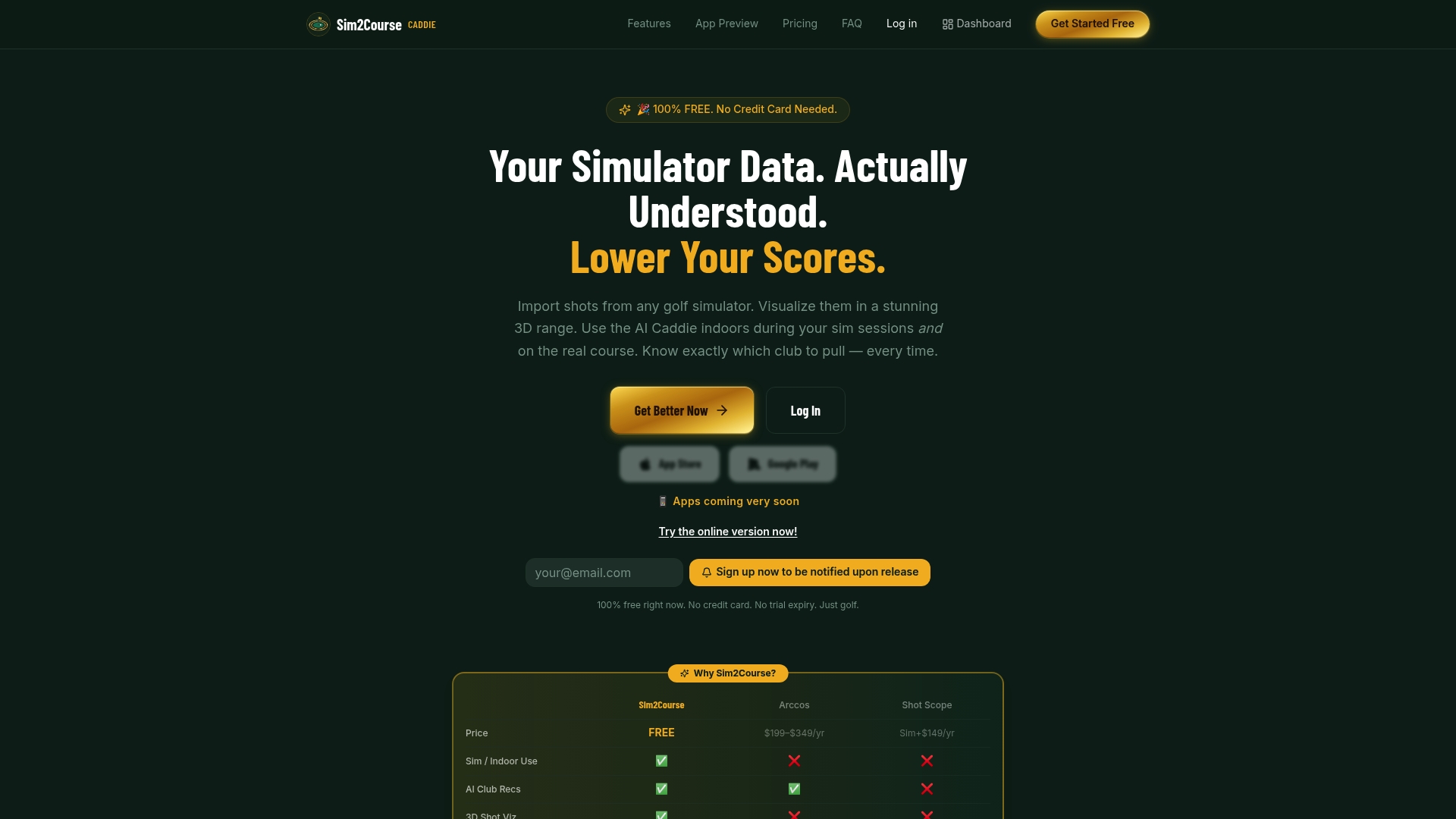
The free tier covers analytics, 3D visualization, and dispersion tracking from day one. To get started: create an account, import at least a 15-shot block from your most recent session, and check whether your smash factor and carry numbers are consistent enough to trust. If they are, your first AI caddie recommendation is one Pro trial away.
The Pro plan unlocks live GPS, real-time conditions, and on-course club recommendations for $9.99/year. Start with the free analytics page and see what your session data actually shows before deciding whether to upgrade.
Useful sources
- How A.I.—and a good fitter—got me 19 more yards in about 10 swings
- Can Wilson take AI fitting to the next level?
- What Is Shot Dispersion in Golf? The Complete Data Guide (2026) — T5 Golf
- Shot Dispersion Explained | The Stat That Predicts Your Score | T5 Golf
- How to Read Home Golf Simulator Data Guide — Open Golfer
- How to Actually Improve Your Swing Using Simulator Data — Local Golf Sims